Friday, January 9, 2015


If you ask “certain” people, they’ll tell you that Android is inherently laggy (then again, if you don’t ask them, they’ll eventually volunteer that opinion anyway). In the past, generally speaking, Android hasn’t been “laggy” per se, the operating system just handles processes and priorities differently than others may. Put simply, as soon as you touch the screen of an iPhone or iPad all processing stops while the OS devotes its full attention to your interaction – at the expense of stopping everything else. This gives the impression of fluidity and speed, but in reality, processes take longer than they do using Android’s approach.

Android handles screen touches as just another event. All the processes currently running continue to run. If your device is underpowered or running a lot of “stuff” in the background, the perception might be interpreted as “laggy”, even though it’s finishing tasks faster than the competition does.

Be that as it may, this perceived “lag” seems to be more visible in Android 5.0 Lollipop than in previous versions of Android. While some blamed the new Material Design with all its new-fangled animations, others pointed to the encryption that defaults to “on” for the devices shipping with Lollipop. Others, however, started looking deeper, and submitted bug tickets to the Android Open Source Project Issue Tracker.

Finally a trend started to emerge. After around 40 hours of “on time”, lag started to crop up. “Weird” things started happening. Apps started to hang – and eventually crash. The good news? Everything was “fixed” with a simple reboot. Ah ha! The clue!

When things work for a while, and get progressively worse, and are resolved by a reboot, that’s typically an indicator of a memory leak. What’s a “memory leak”, you ask? Imagine that RAM is tea, and apps are tea cups. Every school girl will tell you that a proper tea set has several cups (what’s a tea party without a bunch of friends, right?).

this scenario, you fill the cups (which represent loading apps from storage into RAM), then wait. Instead of the cups being emptied by the guests, they miraculously keep filling with tea. Your guests look on in wondered amazement!

Eventually the cups get so full that the tea spills over the edge of the cups. You, being the gracious host that you are, spring into action, grab a towel, and mop up the spilled tea. Then another cup overflows, and another. Eventually the tablecloth is soaked. Your guests’ amusement at the self-filling teacups has turned to frustration and ruined clothing (they’ll be sending you a bill for that!). Your party is a mess – literally as well as figuratively.

In our scenario, the apps keep filling up more and more RAM. This forces other apps to hang and eventually close, until running even one app at a time becomes frustrating. Finally, something triggers a reboot and just like that, the tablecloth is replaced, a fresh pot of tea has been made, and your guests are eager to catch up on the daily news – until it starts happening again.

This appears to be the case with Android Lollipop. Luckily, the issue has been reported and it’s even been closed as “resolved!” Sure, it took six weeks for Google to identify and fix the problem, but that’s not too terribly bad – I guess.

What is bad is that the fix will deployed in a “FutureRelease”. Whether that means Android 5.0.3 or 5.1, or 6.x, who knows. Hopefully it will roll out quickly in 5.0.3 – whenever that arrives.

Might I interest you in a cup of tea while we wait?

Here’s why Android Lollipop is laggy

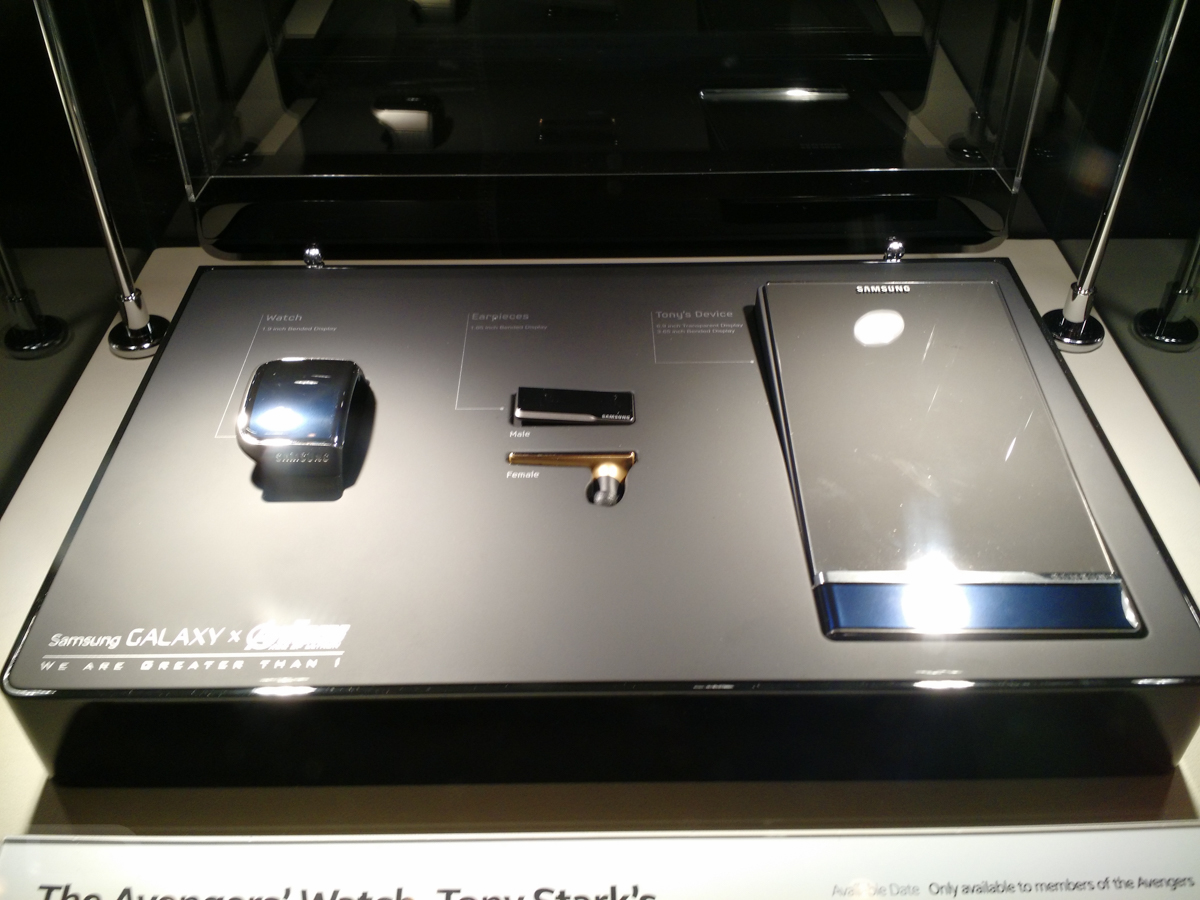
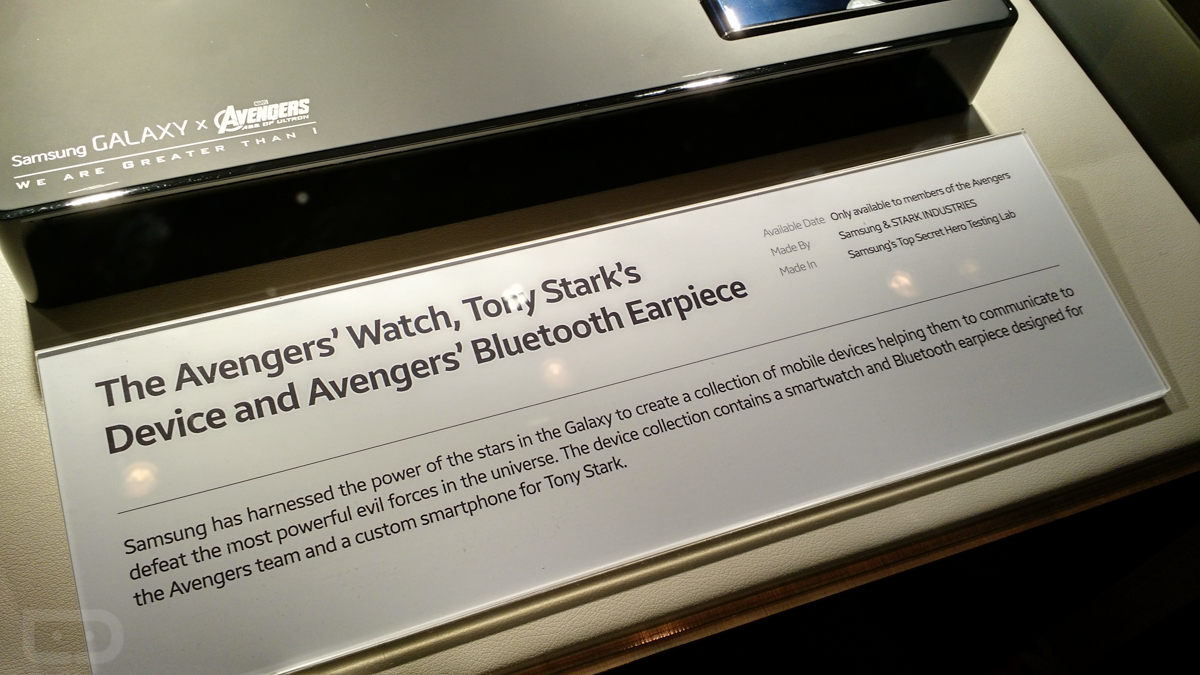
In mid-2014, Samsung and Marvel announced a global brand partnership that would allow the South Korean electronics manufacturer to showcase exclusive Marvel content, but also create cool concept tech for films, such as Avengers: Age of Ultron. As you all know, the new Avengers is going to be the movie to see in 2015, so Samsung is making sure we all know that they are a part of the action. 

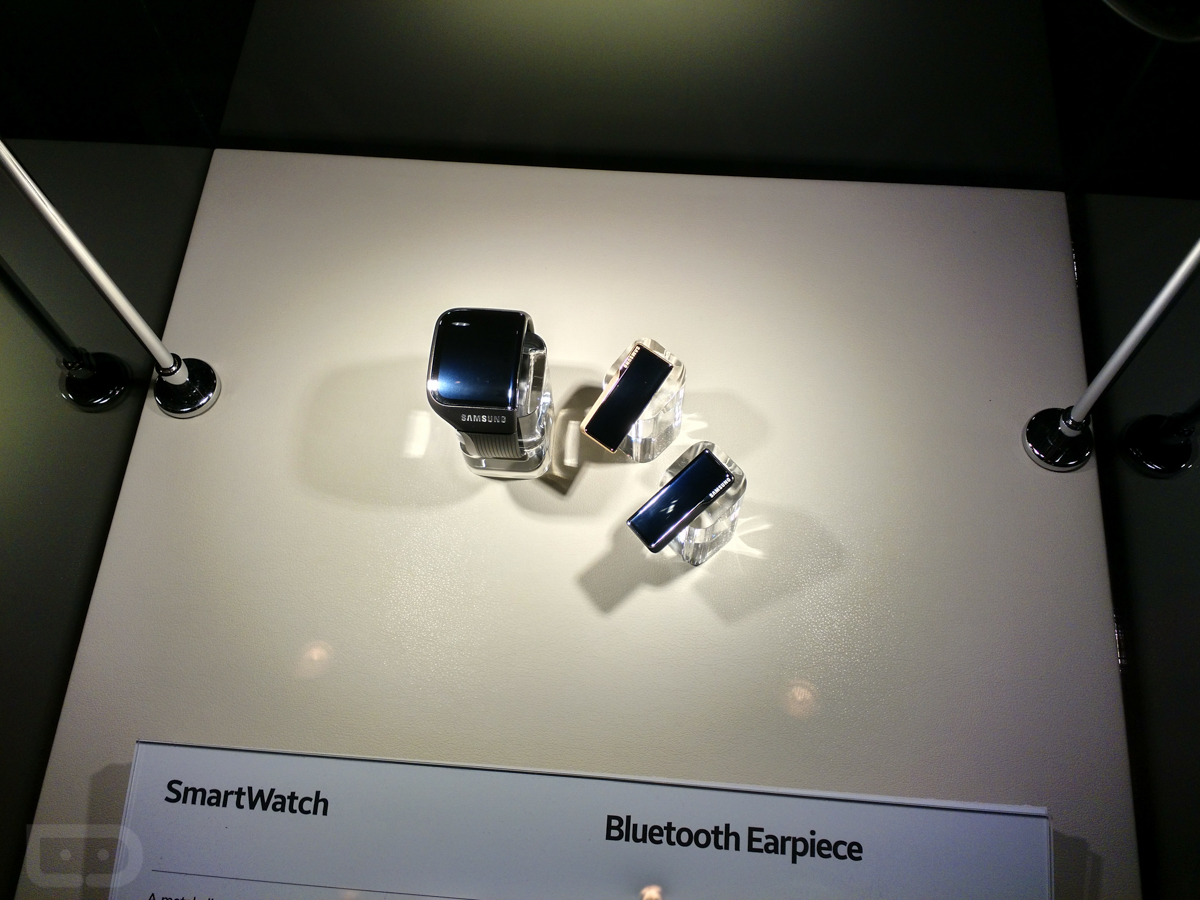
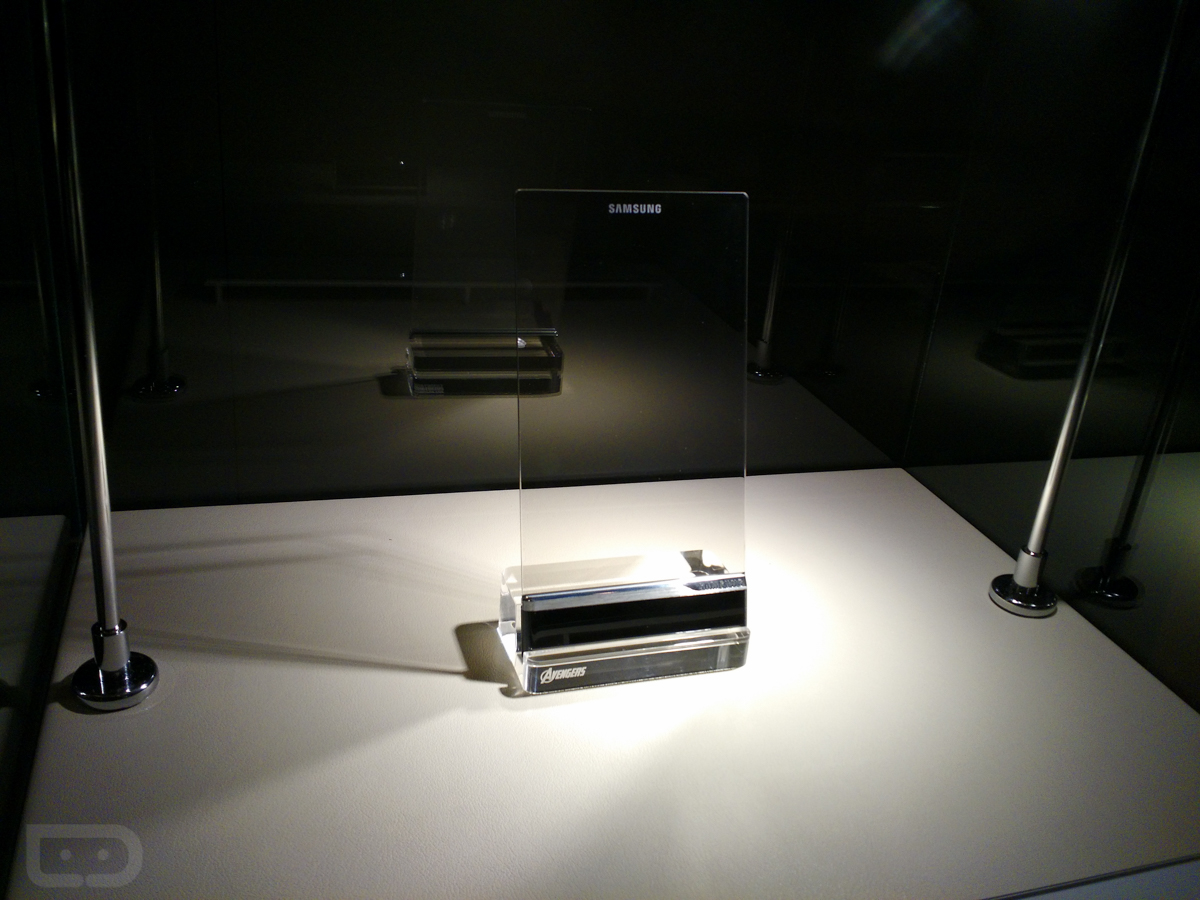
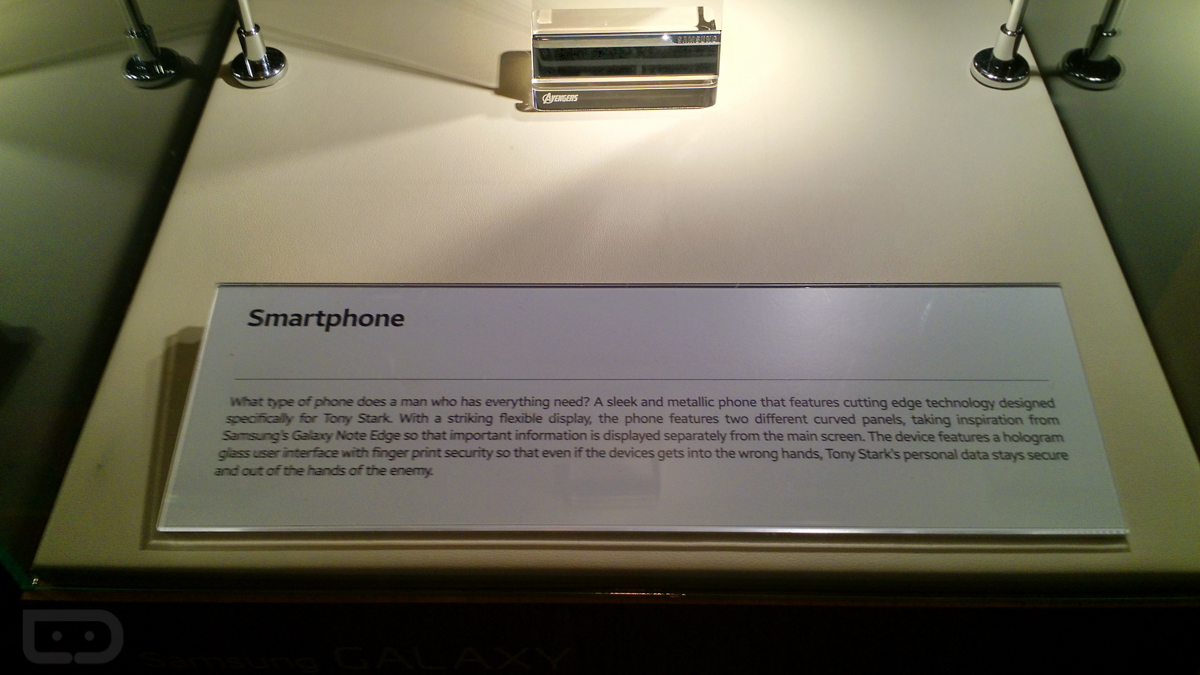
During a press event last night at CES, Samsung showed off new exclusive Avengers: Age of Ultron content that brought out the happy nerds in all of us. They also had life-size statues of Hulk, Iron Man, and Thor that some of us may or may not have posed for pictures with. But outside of the content, we got a behind-glass-case look at some of the specially designed tech that the Avengers team and Tony Stark will use during the film.

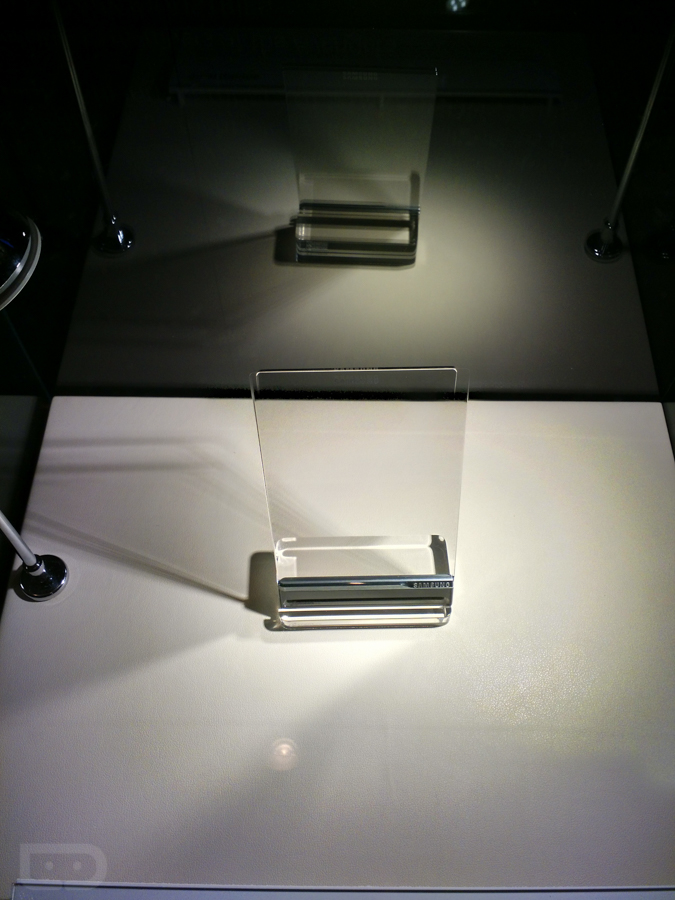
Samsung designed a new smartwatch, Bluetooth ear pieces, and even a concept hologram phone with fingerprint scanner for use in the movie. We took some pictures and have included them below for you to drool over. Obviously, we couldn’t touch the devices or play with them (they aren’t real anyway, so it’s not like they would turn on).

Is it just me or are these some of the sleekest products Samsung has ever designed? Can they hire this design team to make the Galaxy S6?


Here is the Cool Samsung Concept Tech Tony Stark Will Use in Avengers: Age of Ultron

 Nexus line has always represented the very best of Google software for mobile devices, whether it’s on smartphones or tablets. Early in 2014, analysts questioned whether or not Google would discontinue the line in favor of a new, budget line of products that got stock Android into even more hands. Fortunately, we still got at least two more iterations of the Nexus line: the Nexus 6 smartphone and the Nexus 9 tablet.

The Nexus 9 is something of a hybrid of 2013’s Nexus 7 and 2012’s Nexus 10. It runs the newest version of Android and will no doubt influence the future of the platform, but is it a tablet that you should seriously consider next to products like the premium iPad Air 2 or budget-friendly Nvidia Shield Tablet?

Hardware

When I found out that HTC was going to be partnering with Google to produce the Nexus 9, I was legitimately excited for the possibilities. I imagined a thin, full aluminum body with stereo, front-facing speakers that resembled a blown up HTC One M8.

What we got with the Nexus 9 is far more in line with previous iterations of the tablet line and less a HTC-inspired reinvention of itself. It’s a fairly standard black slab that’s modern, but not exactly attention-grabbing. The back of the tablet has the same soft touch plastic that was used on the Nexus 7, except this time we’ve got a black metal frame that runs along the sides of the device. All in all, the design isn’t bad, it’s just a bit forgettable.

In fact, I wouldn’t have a problem with the rather drab look of the device if it the Nexus 9 was a bit more sleek. Instead, however, the Nexus 9 feels strangely thick and heavy in the hand, despite the fact that it weighs in at only 0.94 lbs. It’s lighter overall than both the iPad Air 2 or even the Samsung Tablet S, but it’s also a couple inches smaller, giving it a chunkier feel in the hand. It’s also notably thicker than both those tablets, and also tablets like the Sony Xperia Z2 Tablet and even last year’s iPad Air (by just a tiny bit).

But again, thickness and weight isn’t all that matters. If the Nexus 9 would have had stellar build quality that while it feel like a sturdy tablet that could go with you anywhere, the average feel in the hand wouldn’t have been a problem at all. Instead, the Nexus 9 just doesn’t always the premium build quality that it should. Some users have noted problems with light bleeding in the top right part of display, while others still have complained about defects in the backplate.

While I didn’t have these problems, I did find myself aggravated over the power button and volume rocker, which have so little travel that they barely stick out of the side of the device at all. It’s a big shame, especially considering that there is no other way to wake up the screen other than that one squishy power button. I want to be careful not to exaggerate—the Nexus 9 is still a well-built tablet. It doesn’t creak or feel like a bunch of low-cost pieces put together. However, these small things can become big problems when you’re talking about shelling out $499 for a tablet.

As for what the Nexus 9 does right, there’s plenty. First is the display, which is a beautiful 8.9-inch IPS panel with really nice color reproduction and a decent 281 ppi (pixels per inch) pixel density. The top and bottom bezels are a bit larger all around that I would have preferred, but overall it’s a very nice thing to look at with the display on.

The battery life here is similarly above average. It won’t last as long as the iPad Air 2, but it’ll get you through a full day of heavy use, and probably a few days for the average person.

But most importantly, the Nexus 9 features some great front-facing speakers that once again prove that every smartphone and tablet should have them. They are loud and clear—the one spot where the Nexus 9 easily trumps the iPad Air 2. The Nexus 9’s speakers still aren’t as bright and audible as the HTC One M8’s amazing speakers from the same manufacturer, but they are still the best tablet speakers out there.

Software

While not everything hardware-wise impresses, it couldn’t be a more different situation on the software end of things. The Nexus 9 is the first product to ship with the new Android 5.0 Lollipop installed on it—and it has surpassed all of my expectations. The new version of Android is the biggest change to the look of the operating system at least since Holo, and in my mind, outdoes iOS 8 in many ways.

First off is the notification bar and lock screen, which have both been cleaned up a lot in Lollipop. The notifications are presented as cards that can swiped away or double-tapped to open or act on. My favorite part of the notification bar is the new way you have access your controls such as screen brightness and WiFi. Rather than having to click a tiny button in the top right part of the screen, you can now get to it by just effortlessly pulling down again on the notifications. It’s a tiny little example of the ways that the designers at Google have re-thought the entire experience around fluid gestures intuitive visual cues.

A lot has been said about the new visual flair of Lollipop, but I still find myself loving how the system feels when you interact with it. I love the new app drawer, as well as the new app switcher, which finally feels useful. What Google has done with Material Design is just what Android needed, a perfect balance between intuitivity and ingenuity—the thing the original iOS first accomplished when it was released to the world. It’s a refreshing change from the stark, text-heavy look of iOS 8 or even the cold, rigid feel of Windows 8. It’s colorful, playful, and fun to use without ever feeling cheap or gimmicky, which is quite an accomplishment.

All that being said, Lollipop still doesn’t feel like it’s been properly optimized for tablets. Even the notification bar that I praised earlier still feels a bit weird coming down so narrowly. It’s nothing that holds back the software experience with the Nexus 9, but it does still feel like a missed opportunity without any real multitasking or tablet-only features.

Also, I’d be remiss if I didn’t mention the fact that performance on the Nexus 9 was good, but not perfect. All the animations and proprietary actions feel quick and snappy, but opening apps was still a little slower that I would have liked, and I noticed the system stutter occasionally with heavier apps like Hearthstone.

Verdict

The Nexus 9 feels like a solid update to the Nexus 7. It runs stock Android Lollipop, which has remade itself into the best-designed mobile operating system in the world. The real problem with the Nexus 9 is that it’s priced somewhere between the iPad mini 3 and iPad Air 2—two devices that have an incredibly premium look and feel. The fact that I’d still be much more willing to recommend the $299 iPad mini 2 to most people over this device is telling enough.

The good news for the Nexus 9 is that even if doesn’t quite have the design pedigree or build quality to compete at the $399 price point, neither do many other 9 or 10-inch Android tablets on the market. The 8-inch Nvidia Shield Tablet is our highest recommended Android tablet from 2014, which comes in at a fantastic $299 price point. If you can handle not having Lollipop for awhile, it’s a really good alternative to the Nexus 9.

If Google or HTC could figure out how to put together a killer product that felt as good on the outside as the software experience feels, I’d happily leave my iPad behind for Lollipop alone. But as of now, the Nexus 9 is bound to be a good tablet, but one made only for a small contingency of Android lovers.

Nexus 9 Review: Google Takes on the iPad

Wednesday, December 31, 2014

The Memory Leak Bug Of Lollipop -Android 5.0.1

Android Lollipop – the much anticipated update to Google's OS that brought about that modernistic visual overhaul everyone seems to be craving – the Material Design. But of course, Android 5.0 is more than pretty visuals – there is lots going on under the hood, looking to provide a more stable, smooth, and powerful performance.


Of course, such big new releases are not without faults and no company is safe from launching a dud. As you probably remember, iOS 8.0 caused a lot of headaches for users and Apple alike(especially the 8.0.1 update) , so did iOS 8.1, which was released as soon as the new iPad Airs were announced. This prompted for updates to be released in rapid succession, with some ironing still left to be done.
0.1 updatehas been reported to have a nasty memory leak, which tends to take up 1.3+ GB of RAM, resulting in on-screen apps constantly being force closed and the used phone auto-returning to home screen often. A thread on the Android Issue Tracker forum has been opened and users have reported various Nexus devices to be afflicted , so it appears no one is safe.


Well, Google's Android is also angering early adopters, as the hot-out-of-the-oven      5.
The good news is that the cause of the memory leak may have been pinpointed and the thread has been closed and marked as “FutureRelease”, which means that the fix will be added to an incoming update (which update, and when, is unknown, but we'd imagine – as soon as Android devs can arrange for it to happen).

Android 5.0.1 memory leak discovered, fix under works

The Internet Explorer And Windows 10

Microsoft will launch Windows 10 next year, probably in late summer / early fall. The new iteration of the OS will work on many devices, from smartphones to tablets and PCs, representing a big step forward compared to Windows 8.1 and Windows Phone 8.1- that’s why Microsoft decided to name it Windows 10, eluding the Windows 9 moniker altogether. 
According to ZDNet, one of the major changes that Windows 10 will bring is a brand new browser. 
Currently codenamed Spartan, the browser will still rely on Microsoft's Chakra JavaScript engine and the Trident rendering engine (used by Internet Explorer 11). Even so, ZDNet’s sources have it that this is definitely not Internet Explorer 12, but a new and “lightweight” browser that will be available on desktop computers, tablets, and smartphones. Spartan could resemble Chrome and Firefox more than Internet Explorer as we know it.
Despite the arrival of the new browser, it’s said that Internet Explorer will still ship with Windows 10 (backward compatibility reasons being quoted), so this is not yet the death of IE - though we assume that it is the beginning of the end.
Microsoft will reveal new details about Windows 10 in January (next month), so maybe we’re going to find out more about Spartan then. 
P.S: The image above presents a well-known, humorous take on the fact that Internet 

Windows 10 might be the beginning of the end for Internet Explorer

Tuesday, December 30, 2014


Convalescent plasma therapy (CPT)

This is not new but old techniques, but seriously discussing and researching now a day. A couple of days back NPG reported about the ongoing clinical research in CPT. The CPT, earlier really helped to reduce the fatality of N1H1 victims. Now the same approach is trying with EBOLA victims. 


Clinical trials of convalescent plasma therapy (CPT) have started in the past few weeks in Liberia, and are due to begin soon in Guinea and Sierra Leone. If the therapy saves lives, the approach could quickly be scaled up. 

Success would also raise awareness of CPT’s potential to treat other new and emerging infectious diseases for which there are no readily available effective drugs or vaccines, such as SARS, avian influenza and Middle East respiratory syndrome (MERS). “Clinical trials of convalescent plasma should be considered in other emerging infections,” says David Heymann, an infectious-disease researcher at the London School of Hygiene and Tropical Medicine, and chair of Public Health England. 

What is Convalescent plasma therapy (CPT) ?


Basically this is a plasma transfusion treatment. The plasma will be collected from patients who recovered from the infection. Only plasma with a high neutralizing antibody will e used. The treatment involved an infusion of 500 mL of plasma over a four-hour period on day two of the stay in the intensive care unit. To the extent possible, the treatment and control groups were matched by age, sex, comorbidities, and disease severity at ICU admission. 

Nonetheless, patients in the treatment group had more risk factors for severe disease, including a lower lymphocyte count, greater prevalence of obesity, and presentation with more severe symptoms. 

Convalescent plasma therapy, which is safer now than in the early half of the 20th century because of donor screening, virological and microbiological testing, and apheresis, may have some advantages over antivirals.

Collecting convalescent plasma presents some feasibility issues during the course of an epidemic because the plasma will not be available at the beginning of the outbreak.

Convalescent plasma therapy (CPT) Gaining Momentum

Many scientists have long argued that CPT has been wrongly neglected, both as a therapy for emerging diseases and in preparation for future unknown threats. Today, the approach is gaining ground. Trials of convalescent plasma are beginning for the treatment of patients with MERS, which has infected 938 people and killed 343 of them since it was discovered in 2012. And an international protocol aimed at removing hurdles to quickly rolling out trials of convalescent plasma has recently been drafted.

CPT Where and When ?


Convalescent plasma was found to effectively treat diphtheria and tetanus at the end of the nineteenth century, and was widely used in the first half of the twentieth century to treat diseases such as measles, mumps and pneumonia. But it fell off the radar after the development of antibiotics, antiviral drugs and vaccines. (An exception was the adoption of CPT in Argentina for Argentine hemorrhagic fever after a successful controlled trial in the 1970s.)

When available , vaccines and drugs are the best option. CPT is a lengthy and risky procedure, and may be not able to cover a large population with ease. In other case , drugs and vaccine can be mass produced and easily applied during and out break.

CPT is more complicated — it requires collecting survivors’ blood, screening it for pathogens and then organizing patient transfusion. And standardizing batches of plasma is difficult, because antibody levels in donated blood can vary widely.

But an epidemic or pandemic of a new pathogen turns that logic on its head. As in the case of the Ebola epidemic, there are typically no drugs or vaccines available, and developing these usually takes years. By contrast, “convalescent plasma is one of the few things you can get up and running quickly”, says Calum Semple, a paediatrician and clinical virologist at the University of Liverpool, UK, who is involved in the Guinea Ebola trial. Trials for Ebola and other emerging diseases “should have happened years ago”, he adds. He points out that the therapy is often considered old-fashioned and that there are neither big profits to be made nor cutting-edge-science interests at stake. “Convalescent plasma is not attractive to pharma, or the modern model of academia,” he says.

Adequate screening for pathogens in donated blood can be an issue in poorer countries. In the CPT Ebola trials, a chemical is being added to the donated blood. When the mixture is exposed to ultra­violet light, the compound irreversibly crosslinks the DNA and RNA of pathogens, preventing their replication.

Hope advancement in CPT may bring control over new epidemic outbreaks. Hope the human race may gain the ability to stand with their own mistakes.

EBOLA treatment: Convalescent plasma therapy (CPT) Gaining Momentum

Sunday, December 28, 2014

WhatSapp For Desktops

Just Heard WhatsApp Coming to Desktop O.o
WhatsApp is available on almost every mobile platform, including discontinued platforms like Symbian and Nokia Series 40, but has never developed a web client. New reports say WhatsApp will finally come to the desktop, after five years of availability. The new web client will use OAuth, sending a message to the mobile to verify to user on the web client.


Creating a web client has been on WhatsApp users wish-list for the past few years, even with the surge to mobile in developing nations, where WhatsApp is most popular. The web client should have extra functionality for the larger screen.

 Facebook has taken a mobile-first approach for its newest features, but still updates the web client regularly to keep up with new features. Facebook may have pushed WhatsApp to create a web client.
WhatsApp continues to be the dominant messaging app worldwide, with 650 million active users. WeChat, LINE, Viber, Skype and various other messaging platforms are all vying for attention.
It looks like Facebook wants to split the two messaging services, having WhatsApp in Asia and Facebook Messenger in the West. The social network does not seem keen to merge the two services together.

WhatsApp Coming to Desktop


Productive meetings - Steve Jobs


Justin SullivanAmerican businesses lose an estimated $37 billion a year due to meeting mistakes.

Steve Jobs made sure that Apple wasn't one of those companies.

Here are three ways the iconic CEO made meetings super productive.

1. He kept meetings as small as possible.


In his book "Insanely Simple," longtime Jobs collaborator Ken Segall detailed what it was like to work with him.

In one story, Jobs was about to start a weekly meeting with Apple's ad agency.

Then Jobs spotted someone new.

"He stopped cold," Segall writes. "His eyes locked on to the one thing in the room that didn't look right. Pointing to Lorrie, he said, 'Who are you?'"

Calmly, she explained that she was asked to the meeting because she was a part of related marketing projects.

Jobs heard her, and then politely told her to get out.

"I don't think we need you in this meeting, Lorrie. Thanks," he said.

He was similarly ruthless with himself. When Barack Obama asked him to join a small gathering of tech moguls, Jobs declined - the President invited too many people for his taste.


2. He made sure someone was responsible for each item on the agenda.


In a 2011 feature investigating Apple's culture, Fortune reporter Adam Lashinsky detailed a few of the formal processes that Jobs used, which led Apple to become the world's most valuable company.

At the core of Job's mentality was the "accountability mindset" - meaning that processes were put in place so that everybody knew who was responsible for what.

As Lachinsky described:

"Internal Applespeak even has a name for it, the "DRI," or directly responsible individual. Often the DRI's name will appear on an agenda for a meeting, so everybody knows who is responsible. "Any effective meeting at Apple will have an action list," says a former employee. "Next to each action item will be the DRI." A common phrase heard around Apple when someone is trying to learn the right contact on a project: "Who's the DRI on that?"

The process works. Gloria Lin moved from the iPod team at Apple to leading the product team at Flipboard - and she brought DRIs with her.

They're hugely helpful in a startup situation.

"In a fast-growing company with tons of activity, important things get left on the table not because people are irresponsible but just because they're really busy," she wrote on Quora. "When you feel like something is your baby, then you really, really care about how it's doing."

3. He wouldn't let people hide behind PowerPoint.


Walter Isaacson, author of the "Steve Jobs" biography, said, "Jobs hated formal presentations, but he loved freewheeling face-to-face meetings."

Every Wednesday afternoon, he had an agenda-less meeting with his marketing and advertising team.

Slideshows were banned because Jobs wanted his team to debate passionately and think critically, all without leaning on technology.

"I hate the way people use slide presentations instead of thinking," Jobs told Isaacson. "People would confront a problem by creating a presentation. I wanted them to engage, to hash things out at the table, rather than show a bunch of slides. People who know what they're talking about don't need PowerPoint."

3 Ways Steve Jobs Made Meetings Insanely Productive - And Often Terrifying


The Memory


6137308437_0f37a401cc_b


Memory is an essential human skill, relied upon on as a second-to-second basis for survival, yet still mysterious and poorly understood. Here are 9 things we do know about it, that you’ll wish you knew sooner.

1. Memory is enhanced by forgetting things first.


Conventional wisdom says that if you want to remember something, you should repeat it often, and keep it fresh in your memory. Husband and wife research team Robert and Elizabeth Bjork out of UCLA suggest otherwise. According to their research,

You need to forget a new piece of information at some level before remembering it in order to make that memory robust over time.

The more a new memory fades before you go looking for it, the more it’s subsequent “retrieval strength” improves.

2. Memory thrives on storytelling.


In his 2012 bestseller, Moon walking with Einstein, Joshua Foer tells tall tales of memory champions recalling entire randomly shuffled decks of playing cards, from memory in less than a minute. How do they accomplish these miraculous feats? They get really good at telling memorable stories to themselves while weaving in what they’re trying to remember. Because the human brain is built for storytelling,

The more things you can link together into a narrative, the more readily you’ll be able to recall them later on.

3. Memory is supercharged when new information is visual.


What do we typically associate with learning new technical information? That’s right, textbooks. But the least effective component of textbooks may just be the “text” itself. Yes, we generally find it easier and faster to process information in visual form (if you’ve ever thought to yourself, “I’ll just wait for it to come out as a movie,” you know what I’m talking about). But does it help us learn better? Richard Mayer, psychology researcher at UCSB, indicates yes. His research demonstrates that:

Text paired with a relevant visual significantly improves the amount of information retained by novice learners.

4. Memory is made robust by a rich environment.


Some people swear they can write better in the coffee shop with the low hum of conversation. This may be true. As Benedict Carey indicates in his recent bestseller, How We Learn, a large body of psychology research shows that:

Studying in a diverse range of environments can actually improve the robustness of your ability to recall that information in the future.

It turns out, “find a quiet place to concentrate” may not be the best advice if you’re trying to build a memory that will stand the test of time.

5. Memory is not all about repetition.


You’ve heard it before: “Practice makes perfect.” In reality, this common phrase should be updated to say: “A specific type of difficult practice makes perfect.” Back to the Bjork research team again – they found that:

Repetition is key, but is most powerful when “interleaved” with unrelated information to make the brain work harder.

This forces us to have to go back and “retrieve” that information from our long-term memory stores each time we do it, strengthening that neural connection for future use much more than simply repeating something over and over (which offloads some of the work to your short-term memory). So when it comes to practice, there is a level of “desirable difficulty,” as they call it, to any task that will make it much easier to recall in the future.

6. Memory uses procrastination as an important tool.


How many times have you gotten frustrated with yourself for procrastinating on an important assignment? Well don’t get too upset, because research indicates that procrastination is actually an important tool for getting things done. When we’re not actively focusing on something, it allows your subconscious to work on ideas in the background while you do other things. This effect is particularly noticeable during menial tasks (ever wonder why you get so many eureka moments in the shower?) and sleep. Bottom line:

Your brain needs time to integrate new ideas with existing memory, allowing them to percolate and connect.

7. Memory relies on your brain to “fill in the gaps.”


When a memory gets stored in your brain you retain its key features (the shape of someone’s face, what shoes they were wearing, how hard the wind was blowing), but most else is pretty much a blur. But what happens when someone asks you what the clouds looked like that day?

When faced with a fuzzy aspect of a memory (or one that wasn’t actually stored in the first place) your brain tends to “fill in the gaps” with what it “thinks” most probably was the case.

That’s why eye-witness accounts are so unreliable. Each time a witness is asked to describe what they saw (apart from the fact that people tend to see what they want to see), their memory is immediately contaminated with new information that is being transplanted into the past.

8. Memory gets broken up in bits and pieces in different parts of your brain.


The most common analogy for information storage in the brain is that of a computer. A new string of bits gets written in a particular location, and stored in the hard drive. Turns out, that’s not really how it goes.

Your memory is more like a distributed filing system.

Smells go over here. Emotional intensity goes down there. Visual information gets stored here. And then it’s the job of the hippocampus to pull everything back together. To remember it in the same way your brain has to pull everything back together, like a puzzle.

9. Memory gets prioritized by emotion.


Ever wonder why your most vivid childhood memories usually involve an intense emotion (fear, rejection, elation, pride)? As John Medina, author of Brain Rules explains:

Emotions “attach themselves” to new information in the brain, acting as an indicator of importance.

The stronger the intensity, the more clearly and readily you’ll be able to recall that memory.

9 Facts About Your Memory That You Won’t Believe You Didn’t Know

Air Asia flight QZ 8501 travelling from Indonesia to Singapore has gone missing - reports

Breaking news
This breaking news story is being updated and more details will be published shortly. Please refresh the page for the fullest version.
If you want to receive Breaking News alerts via email, or on a smartphone or tablet via the BBC News App then details on how to do so are available on this help page. You can also follow @BBCBreaking on Twitter to get the latest alerts.

Air Asia flight missing - reports BBC BREAKING NEWS

 
Hi-Tech Talk © 2015 - Designed by Templateism.com