At its 2015 I/O keynote, Google focused mostly on optimizing Android — but that's actually a pretty big project. A lot of the updates involved reducing friction: there were updates to Android designed to make moving between apps and the web smoother, updates to Android Wear designed to make it easier to glean information from watch faces at a glance, and a new photo app that will organize all your pictures and back them up for free.
There are also some new, potentially interesting features for the existing apps. Google Now will start to anticipate your needs wherever you are on your phone. If you’re in a region with poor connectivity, Chrome and Maps will be capable of more, including giving directions while offline. As for hardware, there’s a new Google Cardboard — and an educational field trip initiative — and a VR camera system that will be sold by GoPro, but the plans for which will be made available this summer for anyone to make their own.
/cdn0.vox-cdn.com/uploads/chorus_asset/file/3733564/DSC_9608.0.jpg)
Android M
Android M looks a lot like its predecessor Lollipop. It’s more like a reorganization of Android, with power optimization, new services, and changes to how your apps interact. If you’re a developer, you can check out the preview today. Otherwise, you’ll be getting it later this year.
App permissions get less intimidating
Android has traditionally given you a wall of permission requests — accessing your location, using your microphone — whenever you install a new app. That’s all supposed to be changing with Android M. There are fewer update categories, and you’ll no longer be asked to look at them on installation. Instead, Google will ask you to approve individual permissions when the developer calls them up. You can also look up everything that the app is accessing, or which ones are using, say, your calendar or camera.
/cdn0.vox-cdn.com/uploads/chorus_asset/file/3736330/Google-IO-2015-_0458.0.jpg)
Chrome in all your apps
Right now, when you click on a web link from within an app, you either have to load the browser or use a stripped-down web view in the app. Google announced something called Chrome Custom Tabs, which looks like an in-app Chrome browser and is supposed to make loading pages faster by preloading certain elements, including passwords and autofill. Google also announced measures to make it easier for apps to link to other apps, for example, loading the Twitter app automatically when you click on a link to a tweet.
/cdn0.vox-cdn.com/uploads/chorus_asset/file/3736332/Google-IO-2015-_0503.0.jpg)
Better battery life and USB-C
In an effort to save battery life, Google introduced a new feature called Doze. Android M uses motion detection to go into deeper sleep if inactive for longer periods of time. Google said it trades "app freshness" for battery life. While dozing, devices can still respond to high-priority messages and use alarms. In a test against a Nexus 9 running Lollipop, Google, said the M Nexus lasted up to two times longer in standby. USB Type-C will also be supported on Android.
/cdn0.vox-cdn.com/uploads/chorus_asset/file/3736344/Google-IO-2015-_0594.0.jpg)
Google Now on Tap
Google Now is getting smarter, and it’s going to be incorporated throughout the phone, through a program called Now on Tap. With Now on Tap, you can hold the home button and bring up Now cards with relevant information, whether you’re in an app, email, or web browser. For example, if someone emails you about going to a movie, summoning Now displays information about whatever was mentioned, with links to YouTube trailers, ratings, and other info. If you’re messaging about laundry and dinner, it can prompt you to set up a to-do item, and give you restaurant listings, along with buttons for Yelp, Maps, and OpenTable. It’s a big expansion for Now, and Google emphasized improvements in contextual understanding. In the demo, asking "What is his real name?" while listening to Skrillex in Spotify brought up the answer without needing to specify "Skrillex."
/cdn0.vox-cdn.com/uploads/chorus_asset/file/3736348/Google-IO-2015-_0855.0.jpg)
A new Google Photos app with free online storage
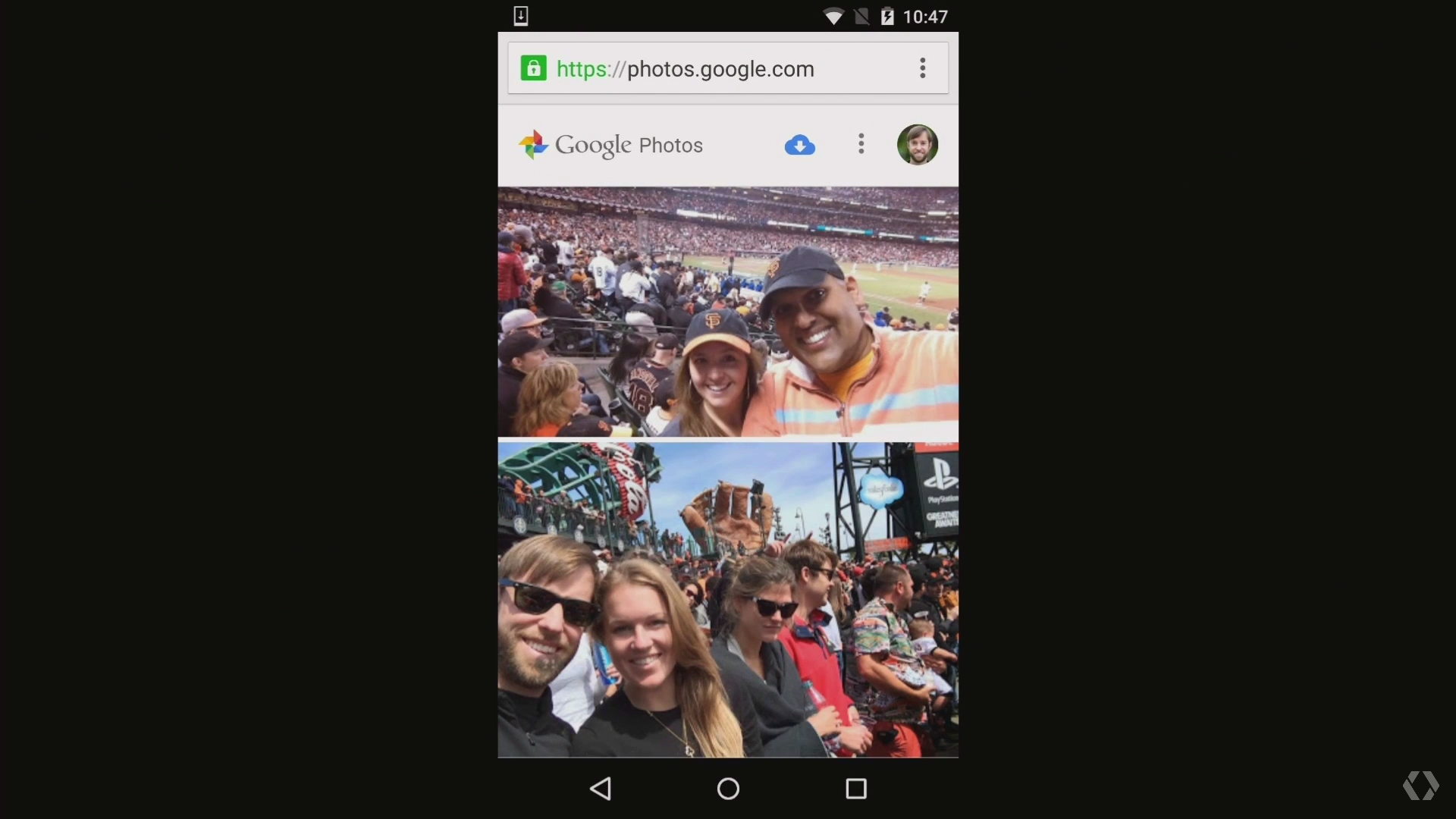
Google already has a photo tool for your Android phone, but Google Photos is a revamped appthat will back up an unlimited number of photos and videos for free (photos up to 16MP, video up to 1080p), organize them as a timeline, and group them together by locations, things like "beaches" or "boats," and people — using what purports to be some pretty advanced auto-tagging. And there are new interface tools for sharing your photos or making collages and movies out of them. Yes, it’s competing with some similar iOS tools, but it could stack up pretty well; it’s available starting today for Android, iOS, and web.
/cdn0.vox-cdn.com/uploads/chorus_asset/file/3736360/Google-IO-2015-_0921.0.jpg)
Offline Maps and Chrome for developing countries
Google announced a bunch of updates designed to make its products work better in parts of the world with poor connectivity. A new streamlined search results page will load faster with a spotty connection and optimize pages to load fewer images. Google already lets people save YouTube videos offline in some countries, but now, Chrome will also be able to save pages for offline use, and Google Maps will be able to run a bunch of features offline. In an onstage demo, it could autocomplete searches, show reviews and information, and give turn-by-turn directions offline.
/cdn0.vox-cdn.com/uploads/chorus_asset/file/3736368/Google-IO-2015-_1123.0.jpg)
/cdn0.vox-cdn.com/uploads/chorus_asset/file/3736372/Google-IO-2015-_0321.0.jpg)
Android everywhere
There's more to Android than phones, obviously. If Google has anything to say about it, it'll be on your wrist, in your house, and in your wallet... sort of.
Some more polishing for Android Wear
Google added some powerful new apps to its Android Wear smartwatch OS, including an easy option for calling Uber cars. It also reiterated some of the ways it's smoothed out the platform. The screen in Android Wear is always-on, Google noted several times, and now apps will be always-on as well, displaying information in a low-power black-and-white mode. If you’re navigating with Google Maps, for instance, directions will stay on the screen, making them glanceable as you move. There’s also a new app launcher designed to make loading apps faster and easier. There are a bunch of other small updates as well, including the ability to recognize drawings and turn them into emoji.
/cdn0.vox-cdn.com/uploads/chorus_asset/file/3736376/Google-IO-2015-_0682.0.jpg)
Google wants to manage your smart home
Project Brillo is an operating system built on the "lower layers of Android," Weave is a communications system that will let smart devices talk to each other, and Google hopes you’ll install both of them on your door locks, light bulbs, and thermostat. There’s built-in support for Wi-Fi and Bluetooth, and Google will have a certification platform for Weave, which companies can use with or without Brillo. A lot of people have tried to create a standard for home automation, including Google — it announced Android@Home back in 2011 — but Google will officially be throwing its hat in the ring again by the end of this year.
/cdn0.vox-cdn.com/uploads/chorus_asset/file/3736378/Google-IO-2015-_0768.0.jpg)
Android Pay gets closer
We’re getting some more details about Android Pay — which is both Google’s answer to Apple Pay and a second chance for the largely failed Google Wallet service. Android Pay will let you make purchases in apps or tap an NFC sensor to pay for physical goods. Android Pay will work with phones running KitKat and higher, and it’s supposedly being pre-installed by AT&T, Verizon, and T-Mobile; Google promises 700,000 stores will accept it, including Chipotle and Dunkin Donuts. And if your phone has a fingerprint sensor, you can use it to authenticate payment.
/cdn0.vox-cdn.com/uploads/chorus_asset/file/3736386/Google-IO-2015-_0533.0.jpg)
HBO Now is coming to Android
We thought we might hear more about TVs from Google this year than we did, but though there wasn’t much news about the Chromecast or Android TV, we did get one new development. HBO Now, the streaming-only service for watching everything from Game of Thrones toTrue Detective, is coming to Android. There’s no firm release date, but this marks the end of Apple’s exclusive access.
/cdn0.vox-cdn.com/uploads/chorus_asset/file/3736396/Google-IO-2015-_0421.0.jpg)
/cdn0.vox-cdn.com/uploads/chorus_asset/file/3736438/Google-IO-2015-_1392.0.jpg)
Virtual reality
Yes, this gets its own section now. It might still be a fledgling field, but Google put some decent effort into promoting VR during the keynote.
New, iPhone-compatible Google Cardboard
Phones have gotten a lot bigger in the year since Google Cardboard launched, so Google is releasing a new version which can fit phones as large as six inches. The new unit, which goes on sale from partners today, is ditching the headset’s original magnet clicker for a cardboard button that will work with any phone. Google is now making its SDK available for iOS as well as Android, and a dedicated Cardboard app launched on Apple’s App Store today. In order to help kick-start VR use, it’s also announced Expeditions, a virtual reality education tool that lets students take VR field trips while teachers control their experience with a tablet.

A VR Camera rig for everyone
In an effort to make it easier for people to film VR-compatible video, Google partnered with GoPro to build a circular 16-camera rig. The geometry of the rig, called Jump, will be made available this summer for anyone to build their own. Once you’ve recorded something with these cameras, Google’s assembler will figure out depth data from the different images and stitch them together into a stereoscopic VR video. Google said the assembler takes "thousands of computers" and would be available this summer to a "select few" people.
What's next
There wasn’t much talk of Google's new Project Fi wireless carrier at the keynote, or of Android Auto, though the introduction mentioned that 35 car brands are participating. Instead, the focus was on improvements in Google’s machine learning, deployed in Google Photo and Now on Tap. Expanding connectivity was also a theme. Sundar Pichai concluded by saying that Google is about solving problems for everyone: "it's about putting technology to work on important problems that users face and do it at scale for everyone in the world." In the last few minutes, he touched on Google’s self-driving car, the latest version of which will soon begin driving around Mountain View, and balloon-based internet service Project Loon, which he says will expand connectivity to the next billion users.


 Posts
Posts