Friday, February 20, 2015

Microsoft has been doing a lot of work in building more popularity for its online services, since we know that it’s Satya Nadella’s main focus for the company going forward. In that challenge we’ve seen the company do some odd moves in sharing some of its love with iOS and Android, even before bringing the functionality to its own platforms. Bing is one of those services that also seems forgotten lately, and the company has taken some measures.

Microsoft recently launched a deal that would give users a crazy 100GB of OneDrive storage for free, for two years. All you had to do was register yourself for a Bing Rewards account, and that was it. The only problem with the deal is that it initially was only available for US users. If you were left out in the cold with this deal, Microsoft has decided to change the rules of the game and expand the deal across the globe to a certain degree. The reason why there is a limitation is either because there’s some sort of glitch in the service, or the service is only available where Bing allows you to create a Rewards account. To give you an example, I’m currently in Guatemala City and the link didn’t work for me.
Still, hit the source link at the bottom, and if it works for you, make sure you share your country in the comments down bellow.
Source: Microsoft

100GB of free OneDrive storage goes international, sort of

Thursday, February 19, 2015

Multi Organ-on-a-chip


So-called organs-on-a-chip have become an important way to test the effects of chemicals or radiation on different kinds of cells. The military, in particular, has been interested to use them to study how poisonous agents like ricin, botulinum toxin, or anthrax attack different organs. Ideally, there would be a way to integrate individual subunits into a single body-on-a-chip where all the different elements could interact in a more realistic way.
Researchers in the field (and the various funding bodies that support them), got together last week at a meeting of the American Society for Microbiology in DC to discuss how this might best be done. Several concepts have previously been fleshed out for devices thatmimic the biological particulars of everything from liver, gut, or lung, to more refined tissues like the brain. The key now is to integrate some of the other intangibles that make the body work as a whole — the more nebulously distributed organs like the vasculature, skeleton, or skin.


Donald Ingber, an FDA-supported researcher from Harvard’s Wyss Institute, has developed a “bone marrow on a chip” device. Bone marrow, among other things, is where blood cells get made. The effects of radiation, and many toxic chemicals, are most acutely absorbed there. These kinds of nasties often lead to the “liquid tumor” class of cancers — the leukemias and lymphomas where out of control cells proliferate and then circulate as single entities in the blood or lymph. Many viruses which go on to infect individual organs to various degrees, hang out in white blood cell reservoirs where they can continually gain infective passage to the entire body.

A recent article mentioned that the EPA is planning to announce a new $18 million war chest to combine livers on chips with other devices that simulate fetal membranes, mammary glands, and developing limbs. These regions have been shown to be particularly susceptible to environmental pollutants like dioxin and bisphenol A. Like many harmful chemicals, their metabolite products generated by the action of various enzymatic systems of the liver are often what does the real damage.

Sometimes the fastest way to find out what chemical, bacteria, virus could be causing your problem is not to try to positively ID the invader but rather to analyse their metabolic effects on the body. As it happens, different organs have come to exert their wills upon each other in many idiosyncratic ways. Gross physiologic observables like heart rate, blood pressure, and blood composition are in part controlled by rare peptides or hormones often made by just a single organ. In quirky yet predictable feats of evolution, via myriad migrations from salt water to fresh water and back, ultimately through mud to air, our lungs, kidneys and guts have had their mutual allegiances repurposed and honed for the benefit of the whole.

The plan for the integrated organ on a chip is to have working devices in researchers hands in five years. On the other diagnostic front, there are new gene or antigen array chips that can potentially sequence or otherwise capture any villian as fast as you can feel it. No doubt both approaches with by of value in keeping our military, and hopefully our civilians healthy.

Whole organs on a chip coming to diagnostic centers near you

New vanadium-flow battery


Imergy Power Systems announced a new, mega-sized version of their vanadium flow battery technology today. The EPS250 series will deliver up to 250kW of power with a 1MWh capacity. We’ve talked about a number of different battery chemistries and designs at ET, from nanobatteries to metal-air, to various lithium-ion approaches, but we’ve not said much about flow batteries — and since this new announcement is a major expansion for the company (their previous battery was a 30kW unit) it’s an opportunity to take a look at the underlying technology.

Feel the flow

A flow battery can be thought of as a type of rechargeable fuel cell. The electrolyte fuel, in this case, is kept in large external tanks that can be pumped through a reactor. One of the characteristics of a flow battery is that the energy storage can be decoupled from the energy output. The size of the reactor determines how much power can be released at once, while the size of the storage tanks determines how much total power can be stored.


This, in turn, makes it theoretically much easier to expand the size of a flow battery installation as compared to a lithium-ion battery. Doubling your battery life is theoretically as simple as doubling the size of the storage tank. Flow batteries can charge and discharge rapidly — refilling the tank with “charged” electrolyte can be as simple as opening a nozzle and pumping in the replacement fluid while the original electrolyte is recharged in a separate container.

There are different types of flow batteries and multiple compatible battery chemistries, but Imergy’s designs all use vanadium for both electroactive elements. The ability to fill both ‘sides’ of the equation is an unusual property of vanadium and it simplifies certain aspects of the reactor design. Vanadium flow batteries are extremely stable — leaving the battery in a discharged state causes no damage, and the battery has an estimated lifespan of 30-50 years and supports thousands to tens of thousands of discharge cycles — far more than lithium-ion can manage.

The disadvantage of flow batteries is that the total energy density of the solution is rather low energy density and the complexity of the storage and pumping mechanisms. Research into improving vanadium’s energy density is underway, a team at the Pacific Northwest National Laboratory has found a way to boost the energy density of vanadium batteries by up to 70% by switching to a different electrolyte formulation.
The long-term market

Much of the debate over the long-term usefulness of battery technology in the US centers around whether or not batteries can be combined with solar and wind power while still matching the cost of our existing natural gas, coal, and nuclear plants. What’s often ignored is that these equations look very different in other parts of the world, particularly in Africa or Indonesia where import costs are high, infrastructure limited (or nonexistent) and natural deposits of fossil fuels are low.

Africa also has enormous renewable energy potential — it receives huge amounts of solar power, its hydropower generating capability is largely untapped, and its geothermal and wave power are both abundant. The East African Rift in particular has high potential as a long-term geothermal power source.

Vanadium flow batteries could potentially augment renewable power in many areas across the continent, and Imergy is focusing its efforts on both the developing and the developed world. The company claims it can deliver power for a levelized cost as low as $300 per kWh, which would put it in competition with lithium-ion costs — including, possibly, in competition with Tesla as that company scales up its own industrial battery efforts.

New vanadium-flow battery delivers 250kW of liquid energy storage

Smart businesses know that social media is a power to be reckoned with: social media channels create a direct line of communication between your company and consumers and give anyone with an Internet connection instant access to the latest buzz around your products or services. Not to mention, they can help you to generate revenue, while building your brand presence.
Let that marinate for a second. This potential for a triple treat is no task to walk into empty handed or unprepared. Unless you want to turn your social media endeavors into a triple threat, you should develop a strategy, based on as much knowledge as possible about your audience and their behavior.
The 16 tools below will help you and your social media manager take on the complexity of the job.
Those who have Google Analytics installed on their website can use Visually’s Google Analytics Report: an app that creates a custom infographic of your website’s activity and performance. This free report tells your website’s story for the week loud and clear. It highlights where your wins came from, giving you that push to make next week even better! You can opt to have these reports delivered straight to your inbox every week.
Pricing: Free
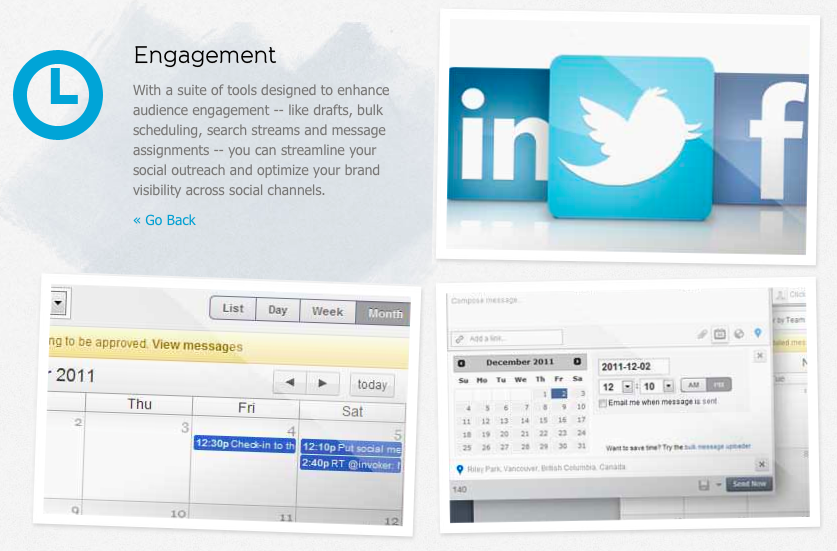
This free, easy-to-use Twitter management tool allows you to oversee all aspects of your Twitter account(s) in one interface. TweetDeck gives each user the freedom to customize their display by showing or hiding various columns presenting everything from your home screen to search terms. Considering TweetDeck is specifically tailored for Twitter, it may not be the best tool for those looking to simultaneously manage various social networks in one place. Nevertheless, it gives great deal of control over the intricacies of your Twitter profile without the hassle of navigating across profiles.
Pricing: Free
Hootsuite takes it a step further and allows you to manage multiple social streams like Twitter, Facebook, LinkedIn, Google+, Foursquare and many more in one place. Working across multiple networks with a social team can be difficult, and Hootsuite makes it possible for you and your team to delegate between responses to fans and followers, eliminating the stress of coordinating responses and potentially overlooking valued fans. While Hootsuite remains one of the most used social media management tools, though, it lacks a basic function: the ability to have images appear as image previews in the Twitter feed as opposed to collapsed links. Still, Hootsuite is a top contender in the space.
Pricing:
Free – Up to 5 social profiles, up to 2 RSS
$8.99/month – Up to 100 social profiles, up to 9 team members, advanced message scheduling and more
Enterprise (custom pricing) – Unlimited
Like Hootsuite, Sprout Social is a social media dashboard that monitors and manages multiple social networks. It has a clean interface and user-friendly dashboard built around 6 tabs: Home, Messages, Feeds, Publishing, Discovery and Reports. Connecting your Facebook, Google+ (Pages only), LinkedIn, and Twitter accounts, Sprout Social suggests new people to follow or unfollow, and offers many ways to schedule updates in advance. Although Sprout Social still has much to improve on, like offering a wider range of social networks, it is paving the way towards fruitful social media managing.
Pricing:
$39 per user/month – Manage up to 10 profiles, real-time brand monitoring, comprehensive reporting tools, and more
$59 per user/month – Manage up to 20 profiles, Helpdesk and Google Analytics integration, deluxe reporting and more
$99 per user/month – Manage up to 50 profiles, ViralPost time optimization, custom interface, and more
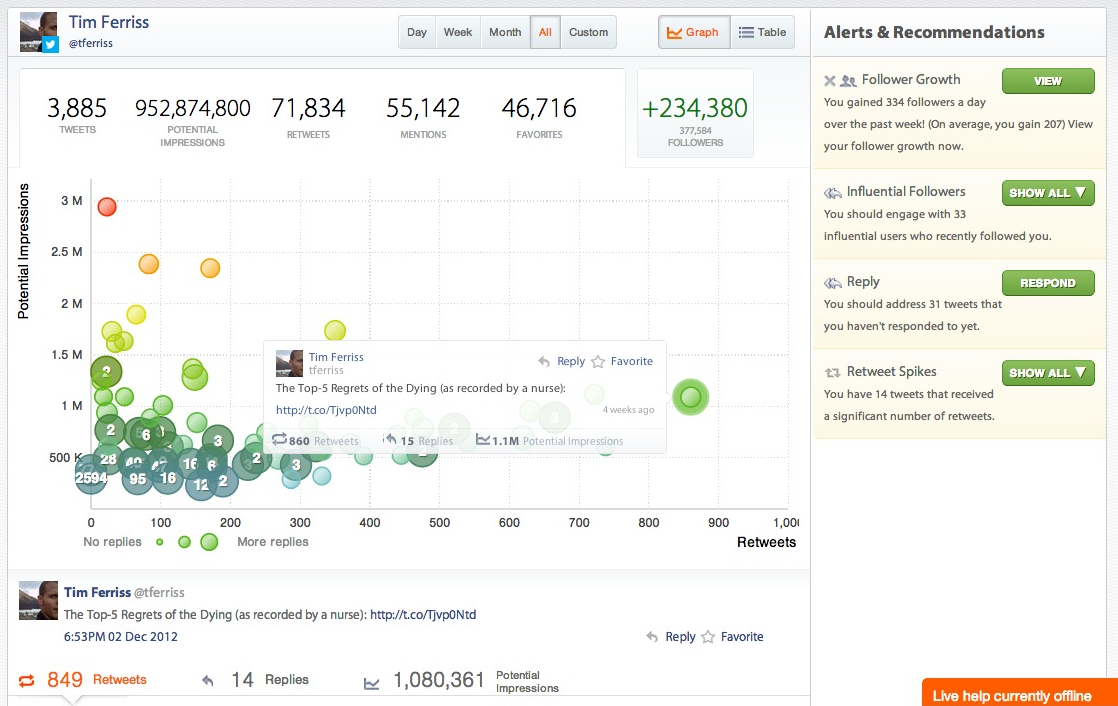
If your main focus is Twitter and Facebook, then this is the tool for you. Crowdbooster helps streamline your social media activity so you pay attention to what matters. Aside from scheduling posts for both Twitter and Facebook, it allows you to easily keep track of new fans and followers by reminding you of followers you have not yet responded to and listing recently acquired influential followers. Although there seems to be a lag time between the syncing of Crowdbooster with Facebook and Twitter API data, it presents a dynamic tool that helps direct growth and engagement metrics.
Pricing:
$9/month – 1 Facebook page, 1 Twitter, 1 User and more
$49/month – 10 social media accounts, 8 users and more
$119/month – 30 social media accounts, 30 users and more
To complement your Twitter tools, in Visually’s app center you will also find Twitter Showdown, which compares any two Twitter accounts head-to-head. The app is meant to be a light-hearted, fun way to see who rules the Twittersphere, but it can actually produce some insightful information on different Twitter accounts in your industry, or when comparing yourself to your competitors. Twitter Showdown gives you insight on follower-to-following ratio, level of tweet engagement, mentions per tweet, tweet timing and, overall, how two accounts compare.
Pricing: Free
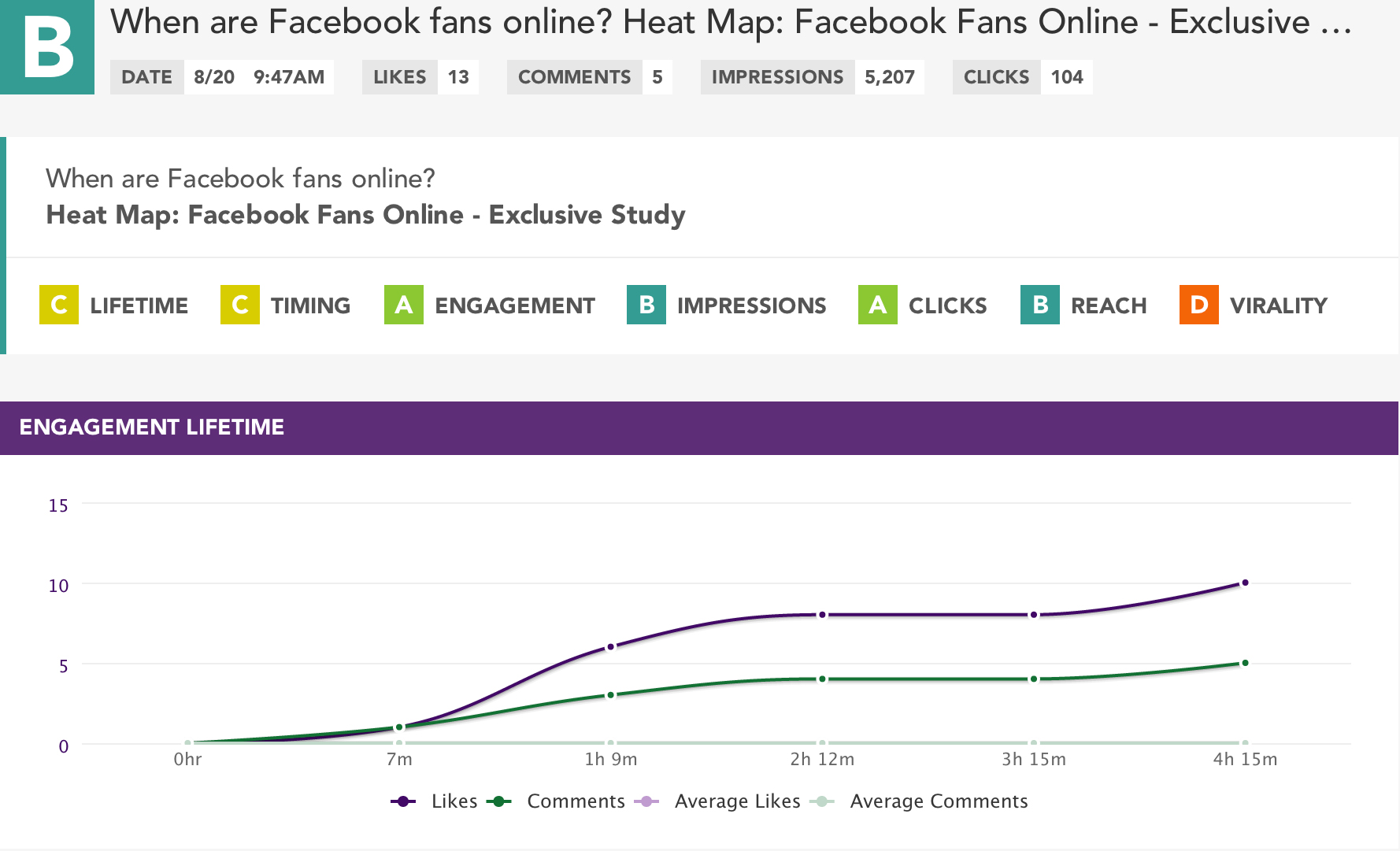
Although Facebook pages comes equipped with Insights and provides significant data on Likes, Reach, People Talking About This, etc., sorting through the data and making sense of it can be a hassle. One must keep in mind the algorithm Facebook uses to determine what posts even make an appearance in newsfeeds. Edgerank Checker helps admins understand how their followers interact with each post by assigning it an Edgerank score and makes recommendations to assist with future posts. With this tool, admins can even monitor each post in real time.
Pricing:
Free – EdgeRank score, EdgeRank score over time graph
$15 per page/month – Real-time analysis, post grades, recommendations, negative feedback analyzer
If you’re already using great Facebook tools and have an understanding of your data, it’s time to take it to the next level. Visually has a great tool for admins to up their social game by visualizing the last 30 days of theirFacebook Insights. Facebook Insights is impressive because your page’s performance literally materializes before your eyes. You can also download and print this report and share it with the rest of your team.
Pricing: Free
9. Buffer
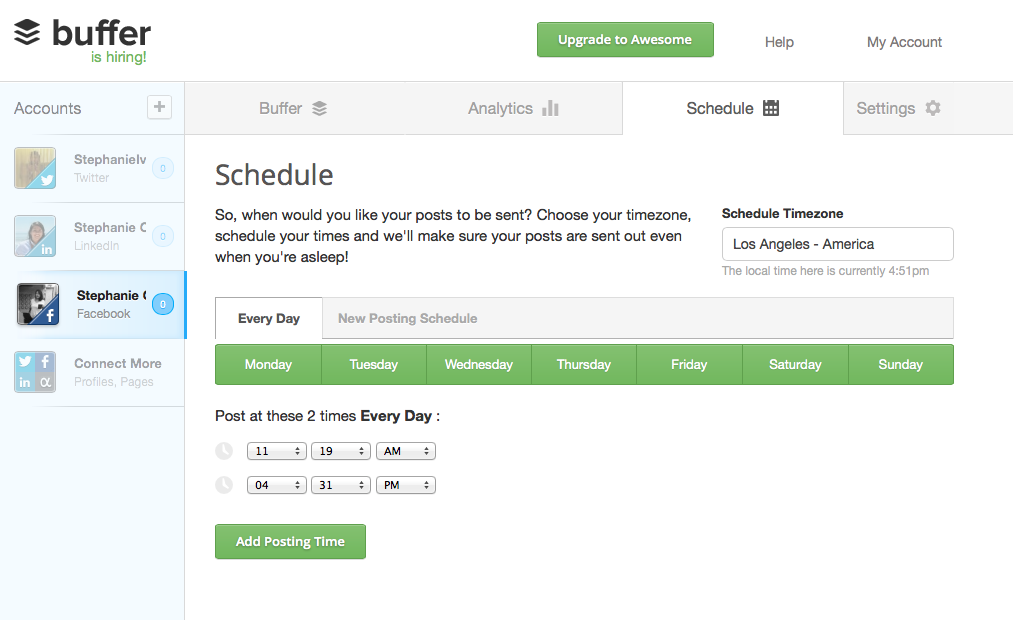
Buffer is a simple and effective tool for sharing content through Facebook, Twitter, LinkedIn and Google+. It’s particularly useful for small businesses that don’t have the time or resources to update their social media channels regularly, but would still like to maintain a social presence. With Buffer, you can schedule bulk posts ahead of time in a queue. It also offers a number of extensions through Chrome, Firefox and Safari that make sharing what you find on the web that much easier. On the downside, Buffer falls short when it comes to monitoring discussions.
Pricing:
Free service – allows for 2 profiles and 10 updates in the queue for each profile
$10/month – unlimited updates and up to 12 profiles
10. SocialBro
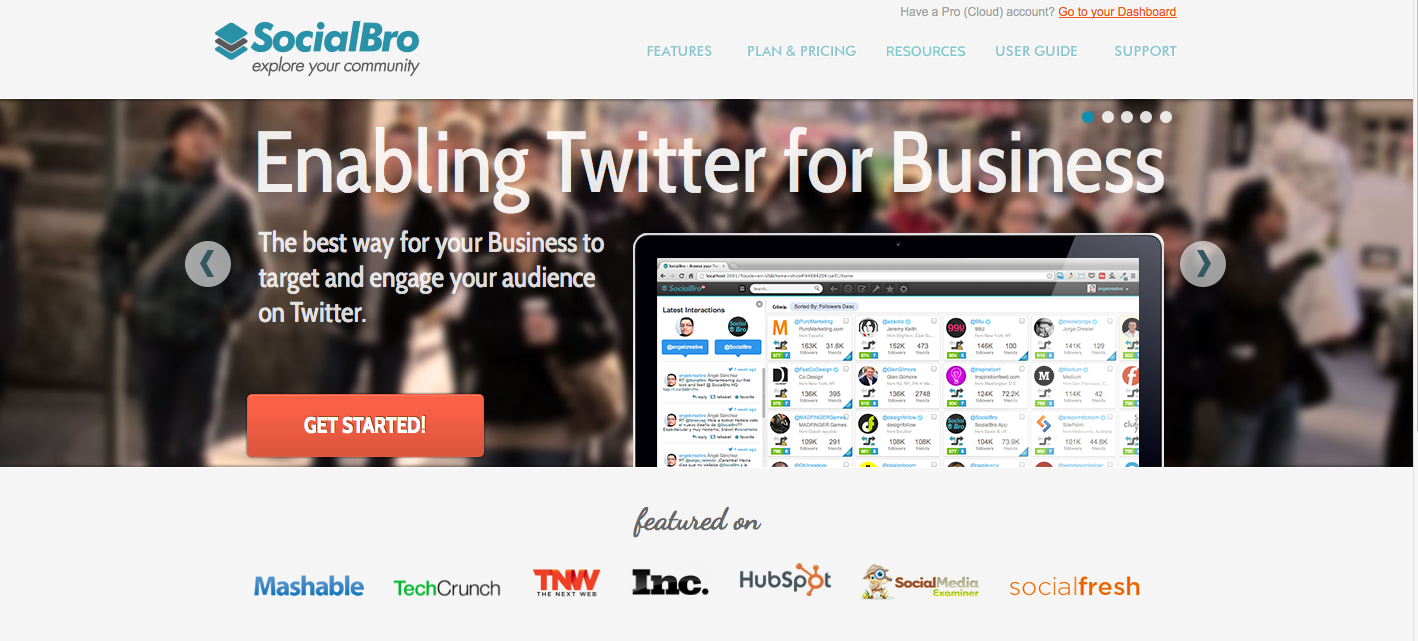
Specific to Twitter, SocialBro provides insights to your analytics, suggestions for targeting and engagement, and also helps keep tabs on your key influencers and competitors. It works best when coupled with a scheduling tool like Buffer or Hootsuite, because it is geared less towards publishing content and more towards offering reports for marketers. With SocialBro’s integration of both Buffer and Hootsuite, you can import the optimized schedule to sync with your queue and use the results to adjust your engagement.
Pricing:
Free 15-day trial
$13.95/month – Up to 20,000 social contacts across 5 Twitter accounts and more
$39/month – Up to 50,000 social contacts across 15 Twitter accounts and more
$149/month – Up to 200,000 social contacts across 40 Twitter accounts and more
Enterprise – On demand
11. Postling
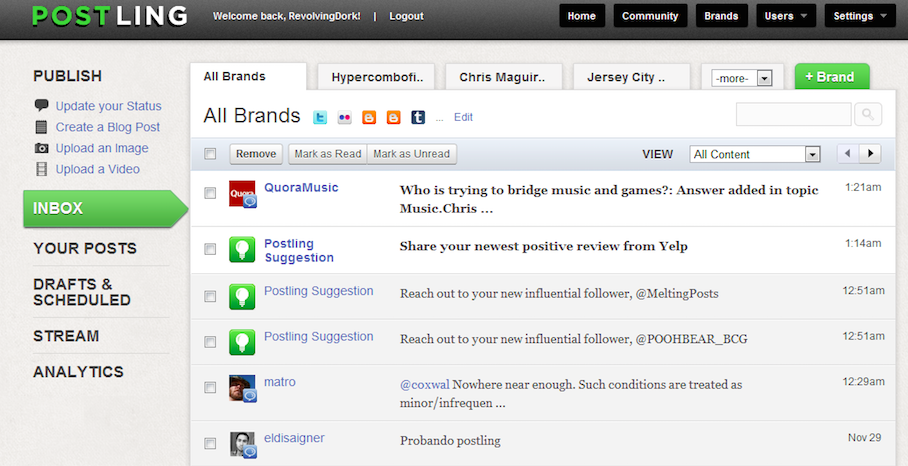
Postling is perfect for businesses looking to expand their reach across social networks. Keeping track of responses, brands and people, this tool sends a daily digest of your recent activity across Facebook, Twitter, LinkedIn, Blogs, Yelp, YouTube and Flickr. One cool feature is tracking news every time your business or brand is mentioned on the web. With a click, you’ll be able to share that tweet or review.
Pricing:
$1 first 30 days – unlimited usage
$10/month after 30 days – manage up to 5 social media accounts/ additional accounts cost $3/month each
12. Tailwind
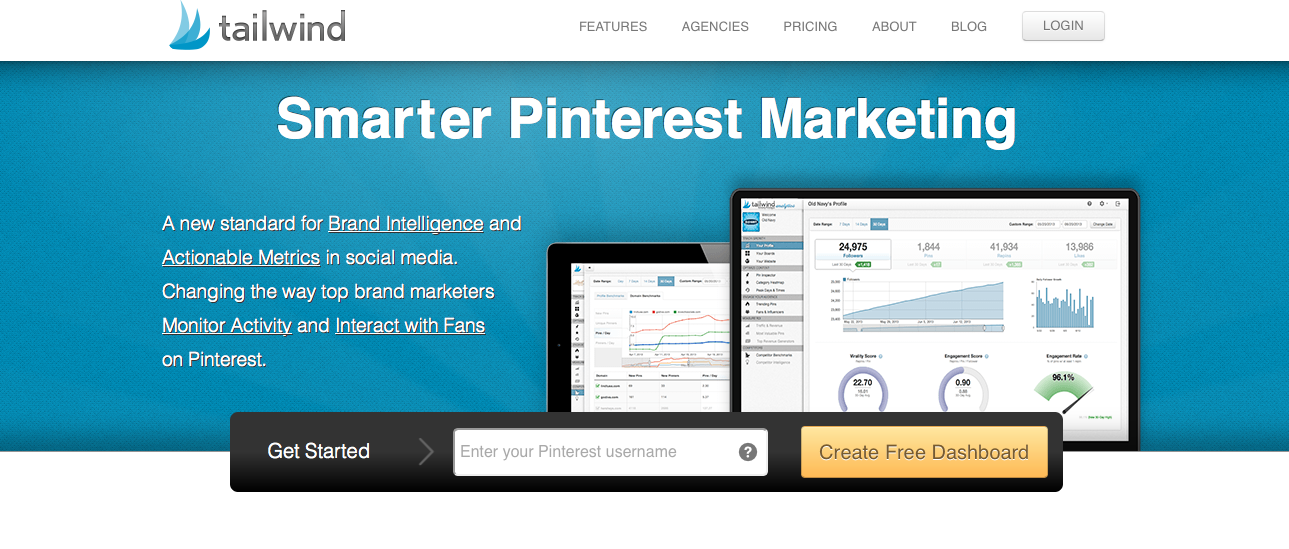
Previously known as Pinreach, Tailwind tracks activity across Pinterest about your company, products and competitors. Pinterest is often overlooked when discussing tools for social media management, but depending on your business, it might be the driving force in traffic, branding and revenue. In addition to the general reporting of growth and engagement, you can connect Google Analytics to track conversions and see which activity is most profitable.
Pricing:
Free – Limited profile and domain trends
$29/month – 90-day history archive, track 2 competitors, invite 2 collaborators, basic audience IQ and more
$99/month – 1-year history archive, track 5 competitors, invite 5 collaborators, advanced audience IQ and more
Enterprise (custom pricing) – Unlimited history archive, track unlimited competitors and more
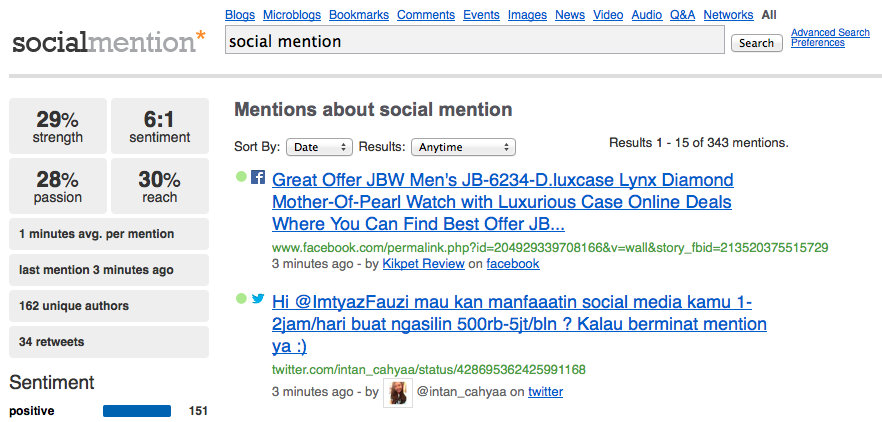
Social Mention is a real-time social media search and analysis tool that scrapes user generated content across the internet for any given company, product, or search term. In a single stream, this tool will give you the most recent relevant results, metrics on unique authors, reach, frequency of mentions, sentiment and top keywords. This tool should be on every social media manager’s shortlist.
Pricing: Free
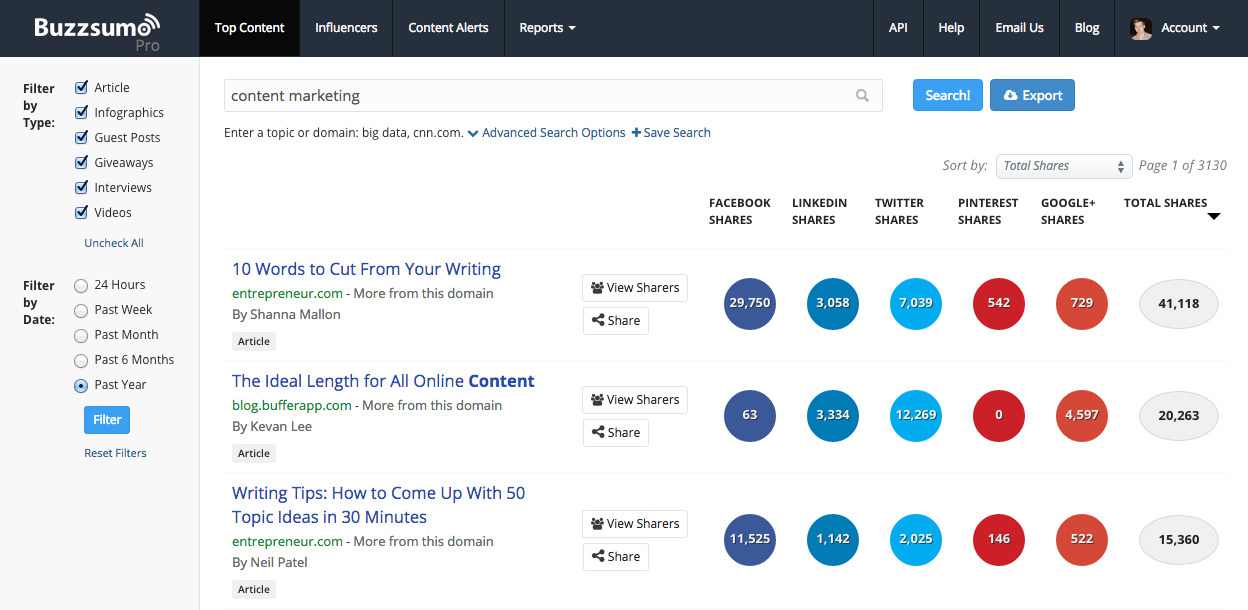
14. BuzzSumo
BuzzSumo is a tool that gives you social data on top performing content and influencers based on your search queries. By entering a topic, domain or specific keyword, your results will be nothing short of relevant. Filtering your search by time frame will show you the most shared content over time, which can give you insight to trends or help with generating ideas for your own content! With this tool, you can view who has shared a specific piece of content and create a list of influencers based on your interest. The pro plans allow you to closely monitor keywords, domains or authors by setting up alerts when new content is published. With great data readily available, this tool is one you’ll want to use frequently to stay on top of the latest buzz in your field.
Pricing:
Free
$99/month – Ideal for small teams and content campaigns
$299/month – Designed for Agency teams to support multiple SEO and content marketing campaigns
$499+/month – Bespoke plans for brands and large agencies
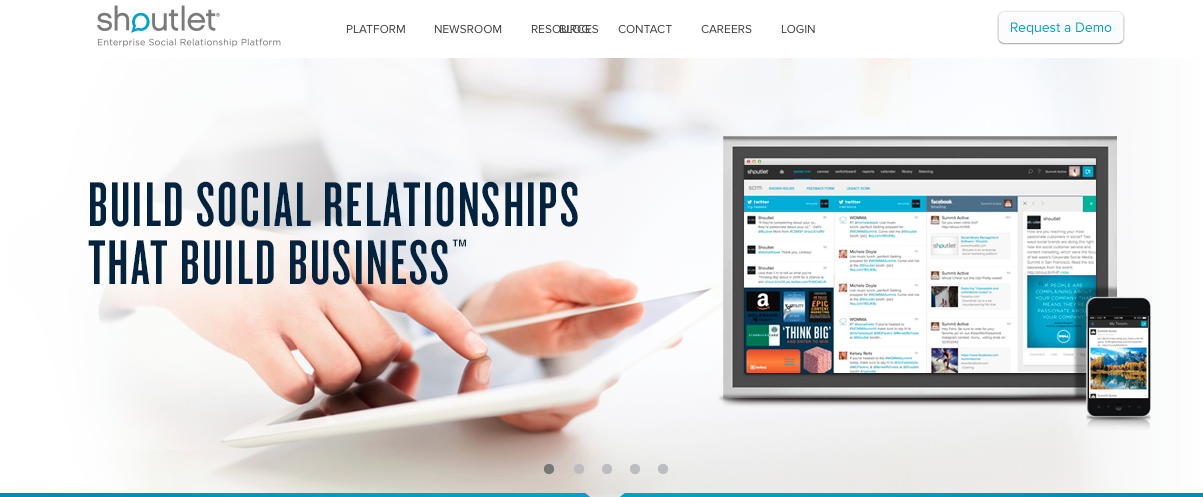
15. Shoutlet
Shoutlet is enterprise-level social marketing software that aims to help companies understand their market, grow their social database and drive their business by creating a seamless platform that guides targeted campaigns through analytics. In addition to publishing and scheduling content, the streamlined community management platform makes it easy to create custom workflows to make sure the needs of all customers and fans are being addressed. The advance features in this social management tool are every marketer’s dream come true.
Pricing: Request a demo
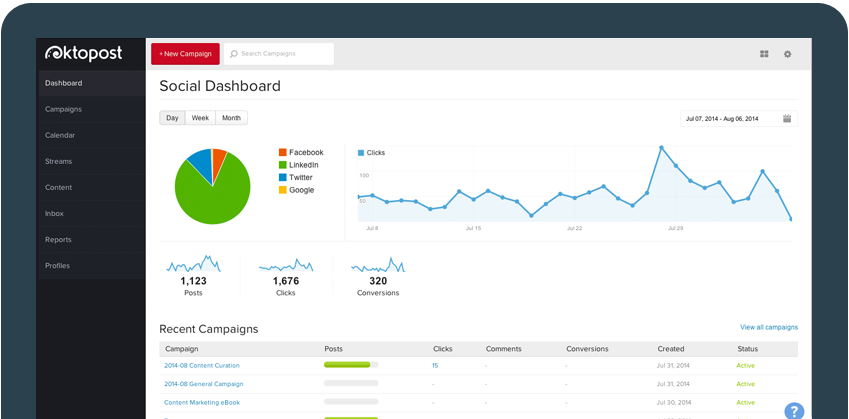
16. Oktopost
Oktopost focuses on building your brand’s online presence by delivering your content to targeted audiences. It helps you establish and manage your most valuable content, making sure your efforts add value to your marketing strategy. Used by B2B businesses, Oktopost places emphasis on tracking conversions and identifying which channels and messaging drive results. With the recent shutdown of Argyle Social, many of its B2B clients have flocked to Oktopost. Underscoring their focus on B2B engagement, Oktopost integrates with Marketo, Salesforce, Act-On and others, directly linking social media actions to the impact on sales. One thing that places Oktopost above other tools is its ability to monitor LinkedIn Groups as well as company pages. As a whole package, Oktopost qualifies and quantifies better leads for you and your business.
Pricing:
$9/month – Getting started with social marketing
$49/month – All the basics for social media marketing
$119/month – A comprehensive tool for social media marketers
$249/month – The definitive tool for social businesses

16 Tools Every Social Media Manager Should Use

This updated protocol will use new techniques to make pages load faster.–PC Pitstop.

By Damien for MakeTechEasier

Almost everything you visit on the web at one point or another uses a special protocol known as the Hyptertext Transfer Protocol (HTTP). Ever since the year 1999, you’ve been using HTTP version 1.1. This has been the ongoing standard for many years until Google made an announcement on February 10, 2015 that its browser will be adding full support of what is now known as HTTP/2. This sounds like utter gibberish to some, but that’s because there’s no description of what HTTP/2 does differently. To understand this, we need to explore exactly what this new protocol version does, and how it is similar to the version of HTTP we’ve been using for nearly two decades.

What Does HTTP/2 Achieve?

Whenever a new protocol version is developed, it needs actual concrete goals. The most obvious goal is backward compatible with its predecessor, HTTP 1.1. Without that ability, every server in the world will have to switch to HTTP/2 for you to be able to browse their websites.

While maintaining compatibility with the older version, this new protocol will make use of advanced techniques as measures against latency, making pages load faster. This is the primary goal, the problem that HTTP/2 plans to address most aggressively.

Other improvements include added security and compatibility with reverse proxies.

In the big scheme of things, HTTP/2 is not going to be that much different from HTTP 1.1. As you surf the internet, the strongest effect you will feel is that webpages will load significantly faster as long as they support the new version.

How HTTP 2.0 Will Speed Up the Internet


Rumors of Samsung launching their own mobile payments system have finally been confirmed. Well, for the most part. Instead of developing their own system, the South Korean company announced today that they’ve reached a deal to acquire contactless mobile payments company LoopPay. Competing with both Google Wallet and Apple Pay, LoopPay uses existing magnetic strip readers on pay terminals via Magnetic Secure Transmission (MST) — not NFC.

This ensures that, even if a retailer hasn’t yet upgraded their terminals to accept NFC-based payments, you can almost always pay using your smartphone with just a tap. Samsung EVP of Global Innovation Center David Eun had this to say about the deal:

“We are excited to take our relationship with LoopPay to the next level, by bringing consumers a mobile wallet solution that is not just safe and reliable, but also widely accepted at more locations than any competing service.”


A specific dollar amount wasn’t disclosed, but you can expect LoopPay’s technology — which currently requires a bulky case or key fob — to come bundled inside the upcoming 

Samsung acquires LoopPay for contactless mobile payments without NFC

Wednesday, February 18, 2015

Just over two weeks ago, we delivered the first version of Outlook for iOS and Android devices. We’ve heard from many of you that enjoy how Outlook brings together the core tools you need to get things done—your email, calendar, contacts and files—helping you get more done even on the smallest screen.
We promised to deliver updates to Outlook every few weeks and we’ve been listening closely to your feedback. Today, we are happy to share some of the features we’ve added over the past two weeks.

IT controls

While our first release focused on bringing a great end-user experience to market, we are also well underway building the IT controls that our business customers require.

PIN lock

Outlook now implements password enforcement using Exchange ActiveSync. If your company email policy requires that devices have a password in order to sync mail, Outlook will enforce this at the device level. How this works on iOS and Android devices varies slightly, based on the available controls provided by Apple and Google.
On iOS devices, Outlook will check to make sure a passcode is properly set. In the event a passcode is not set, it will prompt users to set one up in iOS settings. Until the passcode is setup, the user will be unable to access Outlook.
Outlook for iOS only runs on iOS 8.0 or later. These devices are shipped with built-in encryption, which Outlook uses once the passcode is enabled to encrypt all the data Outlook stores locally on the device. Therefore, iOS devices will be encrypted whether the Office 365 or Exchange policy requires this or not.
Outlook for iOS enforces simple passcode. Encryption is enabled by default.
On Android devices, Outlook will enforce screen lock rules. Further, Google provides controls that allow Outlook to honor additional Office 365 and Exchange policies regarding password length and complexity requirements and the number of allowable screen-unlock attempts before wiping the phone. It will also encourage storage encryption if it is not enabled. Outlook will guide users through this process with a step-by-step walkthrough.
Devices that do not support these security settings will not be able to connect to an account.
Outlook for Android enforces passwords including length and complexity requirements, storage encryption and will monitor screen-unlock attempts to prevent un-authorized access.

Quicker remote wipe execution

We’ve also made improvements to how quickly admin-led remote wipes are executed—they now happen within seconds. As before, this is an app-level wipe, not a device wipe. The Outlook app will reset and Outlook email, calendar, contacts and files data will be removed from the device, as well as from Outlook’s cloud components. The wipe will not affect any of the user’s personal apps and information.

User-focused features

We’ve also delivered on several of the top feature requests we’ve received in the past two weeks.

IMAP support

Outlook now supports the ability to sync mail from email providers that support IMAP, like AOL.com and Comcast.net. We use IDLE whenever possible, which means Outlook can provide push-like behavior even with IMAP accounts. If the IMAP server doesn’t support IDLE, Outlook will sync every few minutes.
Outlook now connects to email services that support IMAP.

Toggle conversation view for iOS

By default, Outlook organizes your email into conversations, where all messages with the same subject line are grouped together. In iOS, you can now turn this feature off if you’d prefer to see each email individually in your mailbox. Just go toSettings > Organize Mail by Thread and adjust the toggle to match your desired preference.
Use ‘Organize Mail by Thread’ to toggle conversation view on/off.
We expect to bring this capability to Android soon.

Customize swipe gestures on Android

Outlook’s swipe gestures make rapid email triage literally a one touch experience. You can swipe right or left to take actions like archive, delete, move, flag, mark as read/unread or schedule. Unlike other email apps, Outlook lets you personalize these swipe gestures to match your unique email habits. Customization was previously only available on iOS, and is now available on Android.
Go to Settings > Swipe Options to customize your swipe gestures.
Customize your swipe gestures to match your email habits in Settings.

Change folders for swipe gestures

For the Archive and Schedule swipe gestures, you can now choose and change your default folders at any time. Previously, Outlook prompted you to choose a folder for these actions during first use. Now when your email habits change, you can adjust these by going to Settings > Choose an account > Advanced Settings > System Folders.
Set your Archive folder and change it later if necessary in Settings.

What’s next?

Over the coming weeks and months, we will deliver additional security and management features that matter to IT as well as user-focused features to help you get even more done while on the go.
Coming IT controls:
Support for Microsoft Intune mobile device managementMoving Outlook’s cloud service from Amazon Web Service to Microsoft Azure
Coming user-focused features:
Support local syncing of contactsRemoving ‘Preview’ label from Outlook for AndroidImproving localization for all 30 supported languages
In addition to feature improvements, we are working on adding more documentation about Outlook’s architecture, security, and administrative controls. For now, you can read Javier Soltero’s post about these topics in our Office 365 Network on Yammer. The Outlook product team also recently held a YamJam to discuss these topics. If you couldn’t join us, read the summary here.
Have a feature request? Let us know right from Outlook by navigating to Settings > Help > Contact Support, as this will help us triage and prioritize.
Stay tuned for much more to come!
Frequently asked questions

Q. The native Mail application on iOS enforces Office 365 and Exchange policies for password length and complexity requirements. Why doesn’t Outlook?

A. Outlook takes advantage of the controls available to Microsoft as a 3rd party application developer. As we enable support for Microsoft Intune mobile device management and as Apple makes more controls available, we will continue to improve this capability.

Q. OWA for iPhone/iPad/Android enforced PIN lock at the app-level. Why is Outlook enforcing PIN at the device level?

A. After talking with our customers and evaluating iOS and Android capabilities, we believe a device-level PIN is the best experience for customers for both convenience and security. An app-level PIN means you often have to enter two different PINs in order to access your email, which is cumbersome. Further, a device level PIN means we can take advantage of features like native device encryption, TouchID on iOS and Smart Lock on Android. Remote Wipe is still implemented at the app-level, which means your personal applications and data will be unaffected when Outlook is wiped. We will evaluate this approach in response to your feedback and as we enable support for Microsoft Intune mobile device management.

PIN lock and other updates to Outlook for iOS and Android

Tuesday, February 17, 2015

Back in 2012 we wrote a piece on phones you’ve probably never heard of. At the time, brands mention included Xiaomi, Blu, THL, among others. Something big has happened in the Android world since then: many of these names are actually reasonably well known these days, thanks to growth in global sales and websites like ours that help bring lesser known devices to there’s still a host of devices that are largely unheard of for those in the Western markets. While not all of them are winners on the spec front, many stand out either due to aggressive pricing, unique designs, build materials or even just having massive batteries. With that in mind, we take a look at seven devices that you may have never heard of, or at the very least they aren’t the first devices or brands that come to your mind when you think of Android.

Sharp Aquos Crystal X

Ron Amadeo / ArsTechnica

Historically speaking, Sharp hasn’t been a brand that we associate with the mobile world, at least not outside of making displays. Of course, this isn’t the same case in Japan, where the company uses its display prowess to develop unique devices in the Aquos family.

Recently, thanks to Sprint, we got our first taste of the Aquos line with the Sharp Aquos Crystal, a mid-range device with ultra-thin bezels. While the phone didn’t pack the most impressive specs (720p display, Snapdragon 400 CPU, etc), in Japan there’s a higher-end model, dubbed the Crystal X, that packs the same ultra-thin bezel design but touts flagship level specs.

Specs

5.5-inch S-CG-Silicon LCD display with 1080 x 1920 resolution2.3GHz Qualcomm quad-core Snapdragon 801 CPU2GB of RAM16GB, microSD (SD, SDHC, SDXC) expansion12.8MP rear cam, 1.2MP front cam2610 mAh Li-Ion battery73 x 139 x 11 mm, 157gAndroid 4.4.4 KitKat

As you can see, while not carrying the latest processing package available, the Sharp Aquos Crystal X has pretty decent specs. Of course, the Sharp Aquos Crystal X’s biggest call to fame is its ultra-thin bezels. That said, thin bezels aren’t all sunshine and rainbows, as some folks may not care for the design. Additionally, thin bezels could also make the phone more susceptible to cracks and damage if dropped.

Getting your hands on the phone will set you back around 23000 Japanese Yen, or roughly $194.14, on Amazon Japan. Keep in mind that’s a Softbank model, and likely requires a contract.

Fairphone

While the Crystal X stands out for solid specs and ultra-thin bezels, the Fairphone’s call to fame isn’t in the spec sheet. Instead, the Fairphone aims to be the first “ethically sourced” smartphone on the market. In other words, Fairphone does its best to make sure the materials used for its phones are from conflict-free resources and that the workers involved are paid reasonable working wages and are treated as fairly as possible. We’ve actually reported about the Fairphone in the past, though our last article was nearly two years ago!

Fast-forwarding to today, the phone produced limited runs in 2013 and 2014. For 2015 they aim to reportedly create a newer model with refreshed specs, and so until that happens it will be nearly impossible to get ahold of one directly through Fairphone. Thankfully a number of partnering retailers in the UK still offer up the original phone model for those interested.

Specs

4.3-inch IPS LCD display with 960 x 540 display1.2GHz quad-core MediaTek MTK65891GB of RAM16GB, microSD up to 64GB8MP rear shooter, 1.3MP front cam2000 mAh battery126 x 63.5 x 10 mm, 170gFairphone OS (based on Android 4.2.2 KitKat)Compatible networks GSM 850 900 1800 1900

Spec-wise, this is far from the ‘best’, but we felt its goals were admirable enough that it should still be highlighted as one of the “best ideas” that most of us have never heard of. Here’s to hoping that in 2015 they are able to continue their goal of creating an ethically sourced device, while also bringing us a bit more impressive specs.

Wondering how “fair priced” the Fairphone is? At least through one UK site we found it for 250.00 British Pound Sterling, or about $384.44. That alone would be a hefty price for a Mediatek phone, but it is even worse when you consider that this price is for a 24 month contract! We suppose getting parts for an ethically sourced phone simply doesn’t come cheap.

Lumigon T2 HD

Sharp stands out for bezels, Fairphone for its goal of creating a device that’s made from conflict-free materials. So what makes the Lumington T2 HD stand out? Besides the fact that probably few of you have ever heard of the phone or the brand, the Danish handset maker boasts that its phones are not only extremely premium, but highly durable.

The T2 HD is made from stainless steel and features Gorilla Glass 3 to protect the screen. Whether you find its design appealing is probably a matter of taste, though it certainly stands out due to the stainless frame and the inclusion of a unique charging dock.

Specs

4.3-inch display with 720p resolutionQualcomm Snapdragon S4 Pro with Andreno 3202GB of RAM32GB or 128GB storage13MP rear shooter with flash and backside illumination sensor, 2.4 MP front cam6.4 Wh built-in Li-ion batteryAndroid 4.4.2Compatible networks: GSM 850 / 900 / 1800 / 1900 MHz, 3G/UMTS 900 / 2100 MHz, 4G/LTE 800 / 1800 / 2600 MHz, LTE 100Mbps download / 3G / HSDPA+Connectivity: Wi-Fi 802.11 b/g/n, Bluetooth 4.0, NFCWater- and dust-resistant design (IP55)Dimensions and weight: 127 x 64 x 8.7 mm, 148gInfrared receiver and transmitterFM receiver

While it’s still more than capable of providing a decent Android experience, the Snapdragon S4 Pro inside is more than a little dated. Processor and 720p 4.3-inch display aside, most of the specs are still pretty solid. There’s also several stand-out features like an encrypted software “Vault” for file storage, a universal remote app that works with the integrated IR blaster, an IP55 water/dust resistant design, and a display that works even with gloves.

The T2 HD is available through its official website for 3559 Danish Krone, or what translates out to about $545.23. Finding it stateside is a much more pricier affair, however, with one Amazon listing selling the phone for $819.

Desay Magical Mirror X5


Sapphire screens are said to provide improved levels of protection from scratches and even drops, and despite be offered by few mobile devices, they have certainly be hyped up quite a bit in recent years. Now Chinese-based Desay is getting into the sapphire screen ring with the Magical Mirror X5. Aside from the inclusion of sapphire glass protection, everything else about the Magical Mirror X5 is fairly ordinary. The phone has a 5-inch 720p display, a Mediatek quad-core CPU, 1GB RAM and 16GB internals.

Specs

5-inch display with 720p resolutionMediaTek quad-core CPU1GB of RAM16GB storage13MP rear shooter, 5 MP front cam2050mAh batteryAndroid 4.4 KitKatSupport for 4G LTE

While Desay isn’t a well known brand, at least in the western world, the use of Sapphire glass protection makes the device above pretty novel, even if it’s far from a power house. Even more impressive, is the fact that Desay managed to give the phone a fairly aggressive price tag equivalent to just $160.

Pantech Vega Iron 2

When we think of Korean smartphone companies, LG and Samsung are the names that come to mind. One of less popular players these days is Pantech, despite the fact they actually build pretty solid devices. In fact, recently AA’s Matthew Benson wrote an article describing his time with the Pantech Vega Iron 2 and going so far as to say that the product is “the Galaxy S5 he wished Samsung had built”.

The Pantech Iron Vega 2 has Samsung-like aesthetics, including a plastic back with a chamfered, striped metal frame. You’d be forgiven if you thought Pantech had simply copied the Galaxy Alpha and Note 4 design language for the Vega 2, but in reality the phone arrived a few months after the Galaxy S5, but before the arrival of the Alpha and Note 4. The Pantech Vega Iron 2 doesn’t only look like a solid device, it has the specs to match. The phone has a Snapdragon 801 CPU, an Adreno 330 GPU, 3GB RAM and 32GB storage. The rest of the specs are equally decent, and the entire package is ran on Android 4.4 KitKat with Pantech’s custom UI on top.

Specs

5.3-inch display with a 1080p resolutionSnapdragon 801 CPU with Adreno 3303GB RAM13MP rear cam with OIS, 2.1MP front camBluetooth 4.0LTE-ANFC3220 mAh battery

As you can see, the Vega Iron 2 may not be “unique” as many of its features are quite similar to what we’ve seen with recent Samsung devices, but it did make the move to metal before Samsung and offers up pretty solid specs that make it worthy of being pointed out in this list. The price tag for the phone is also pretty reasonable, with the device being offered up on Amazon for $564.49.

THL 5000

Battery size is the name of the game for the THL 5000, which packs a 5000 mAh battery into a reasonably compact body. With its big battery and official talk times of 47 Hours for 2G and 30 Hours for 3G, it’s pretty obvious what makes the THL 5000 stand out as unique.

Aside from the battery, we have a pretty stereotypical Chinese phone with fairly uninspiring aesthetics and a MediaTek MTK6592T octa-core processor underneath, paired with 2GB of RAM. While most of the specs are “high-end” as far as MediaTek goes, the phone certainly isn’t anywhere at the same level as modern flagships rocking chips from companies like Qualcomm, Samsung and even arguably Intel.

Specs

5 inch IPS display with a 1080p resolution2.0GHz MediaTek MTK6592T octa-core2GB16GB storage, microSD expansion up to 32GB13MP rear cam, 5MP front cam5000 mAh batteryConnectivity : GPS, microUSB 2.0, Wi-Fi b/g/n, Bluetooth 4.0, NFCNetworks: GSM 850, 900, 1800, 1900MHz for 2G / WCDMA 850, 2100MHz for 3GAndroid 4.4 KitKat145 x 73 x 8.9 mm, 170g

Unlike the vast majority of the phones on this list, getting the THL 5000 in western markets like the US isn’t particularly difficult with places like Amazon offering it up for $259.99 and similar (or even more aggressive) pricing can be found through various Chinese import sites. For more details on the THL 5000, be sure to check out our review of the device. 

Saygus V2

The Saygus V2 stands out for a few reasons, first its looks are a bit bizarre and as a result the phone can’t be accused of being a “carbon-copy” of devices from bigger name OEMs. Second, the phone brand is relatively unheard of, hitting CES 2015 out of nowhere and generating a fair amount of hype. Finally, the phone offers just about everything expect for the kitchen sink.

The biggest call to fame for the V2 is the fact it offers up two microSD slots, both capable of excepting 128GB cards. Combining this with the 64GB internal storage, that means you can potentially store up to 320GB of data. Beyond this, you’ll find the Snapdragon 801 CPU with 3GB RAM — not the most bleeding edge package in 2015, but more than enough to provide a solid Android experience.

Specs

5-inch display with 1080p resolutionSnapdragon 801 CPU3GB of RAM64GB storage, two microSD slots for expansion20.7MP rear shooter, 13MP front cam3100mAh batteryAndroid 4.4 KitKatSupport for 4G LTEInfrared and other standard connectivity (NFC, Bluetooth, etc)Water and dust resistance137 x 67 x 9.7 mm,141 g

As you can see, the phone is every bit as capable as most flagships from mid-to-late 2014. While the devices of 2015 will easily trump it, there’s plenty of extras thrown in here such as dual microSD, waterproofing and more. At $599, the phone isn’t ultra-cheap, but still pretty reasonably priced for a phone with the above specs. It’s also worth noting that the software experience is essentially stock KitKat, with an upgrade to Lollipop in the works.

Okay, so many of you may have heard of this phone, but globally speaking, its still pretty new to the game and very much worthy of being the last entry in this list.


7 unique smartphones you’ve likely never heard of


Late last year Facebook hosted the first Internet.org Summit in New Delhi, India. The Summit, and keynote from Mark Zuckerberg, addressed barriers to internet connectivity and explored ways to provide internet access to more than a billion people in India who aren't yet connected.
Today, Facebook and Reliance Communications are making the internet available to millions of people in India through the launch of the Internet.org app and free basic services. This is the first time the Internet.org app will be available in the region.


Reliance customers in six Indian states (Tamil Nadu, Mahararashtra, Andhra Pradesh, Gujarat, Kerala, and Telangana) will now have access to more than three dozen services ranging from news, maternal health, travel, local jobs, sports, communication, and local government information.
The full list of free services includes:
Aaj Tak - Read news in Hindi
AccuWeather - Get updated weather information
amarujala.com - Read news in Hindi
AP Speaks - Engage with local government
Babajob - Search for jobs
BabyCenter & MAMA - Learn about pregnancy and children
BBC News - Read news from around the world
Bing Search - Find information
Cleartrip - Check train and flight schedules & buy tickets
Daily Bhaskar - Read local news
Dictionary.com - Search for meanings of words
ESPN Cricinfo - Get cricket updates
Facebook - Communicate with friends and family
Facts for Life - Find health and hygiene information
Girl Effect - Read articles and tips for girls
HungamaPlay - Listen to music
IBNLive - Read news
iLearn - Learn from Women Entrepreneurs
India Today - Read local news
Internet Basics - Learn about the basics of the Internet
Jagran - Read local news
Jagran Josh - Get education and career information
Maalai Malar - Read news in Tamil
Maharashtra Times - Read news in Marathi
Malaria No More - Learn about malaria
manoramanews.com - Read local news
Messenger - Send messages to friends and family
NDTV - Read news
Newshunt - Read news in English
OLX - Buy and sell products and services
Reliance Astrology - Read your horoscope
Reuters Market Lite - Get farming and crop information
Socialblood - Register to donate blood
Times of India - Read news
TimesJobs - Search for jobs
Translator - Translate words and phrases
Wikipedia - Find information
wikiHow - Find information
Reliance customers in India can access these services in the Internet.org Android app, at www.internet.org, from the start screen of the Opera Mini mobile web browser, and using the Android app UC Browser for Internet.org. Most of the services will be available in English, Hindi, Tamil, Telugu, Malayalam, Gujarati and Marathi.
This is a big step forward in our efforts to connect everyone to the internet, and to help people share their ideas and creativity with the entire world. We’ll continue to improve the experience and roll it out to other parts of the world

Internet.Org Now available in India


There are reports of a massive project at Apple, with hundreds of executives working on an electric minivan. Additionally, an Apple self-driving car has been spotted on the roads.

Elon has been very public in saying that in order to complete the mission at Tesla he needs to get the third generation car out.

Jason believes Apple would be desperate to buy Tesla between when the Gen 3 is announced but before it is delivered, because once the Model 3 hits the road Tesla’s market cap would make a deal with Apple a merger -- not an acquisition.

Nextbigfuture agrees that it would be good for Apple to buy Tesla and Apple could offer to buy it. 

Nextbigfuture sees little reason for Elon Musk to agree to do it. 


Calacanis predicts that Apple will buy Tesla Motors

 
Hi-Tech Talk © 2015 - Designed by Templateism.com