You've seen the first impressions. You've tried the app yourself. Now check out some of the awesome advanced features tucked inside the new Google Photos.
 Got Photos? (The Google app, that is. Not just photographs in general.)
If so, get ready: Google's new image service packs some serious power. And if not -- well, what are you waiting for?
Beyond the basics, here are 16 awesome advanced features tucked inside the new Google Photos.
Be warned: Some of these may blow your mind.
(Note: The features here are all described as they appear on Android. Most of the same things, however, should be available on the iOS app as well, if that's the way you like to swing. Some of them are also available on the Web, though many are specific to the mobile interface.)
1. Pinch to change your perspective
By default, the new Google Photos app shows your images in a daily view, with medium-sized thumbnails arranged chronologically by date. But there are three other views available, and you can move between them simply by pinching in or out on your device's screen.
Pinch outward once from the day view, and Photos will move into what it considers the "comfortable" view -- in which the thumbnails are all significantly larger and easier to see.
Pinch inward once from the day view, meanwhile, and you'll go to a compact view with smaller thumbnails and thus many more images on the screen at a single time.

The Google Photos app's compact and comfortable views
Pinch inward a second time, and you'll get the Photos app's monthly view. That shows you a bunch of tiny thumbnails arranged by month to give you a broad overview of your images and let you quickly scan through your collection.
2. Keep pinching to navigate into (and out of!) images
The pinch gesture carries throughout the entire Photos app: Every time you pinch inward, you'll go to a closer view of your images, as described above. Once you're in the closest possible view -- the "comfortable" view -- pinching in on any image will open that image in full.
And regardless of what view you started in, pinching outward on any image while viewing it in full will take you back to the main image list (with a really nice transitional animation!).
3. Scroll slowly -- or scroll quickly
Scrolling the normal way -- by sliding your finger up or down on the screen -- works fine in Photos. But the new app also offers another option: Once you start scrolling, you can touch the quick-scroll icon on the right side of the screen and drag it upward or downward to move more quickly through your images. A small text box will show you what month you're viewing as you hop through the list.
4. Jump out of images with ease
While viewing an image in full, you can swipe upward or downward on it to jump back into your main image list. Think of it as a gesture to match scrolling-based navigation, while the pinch-out shortcut (mentioned a moment ago) is meant to match pinch-based navigation.
5. Swipe between sections
While we're on the subject of swiping, did you know you can navigate between the different sections of the Google Photos app simply by swiping left or right? Try it: From your main photos list, swipe left once. That'll take you to Photos' Assistant feature, where you'll find suggestions for expanding and improving your Photos experience.
Swipe to the right, meanwhile -- once from the main photos list or twice from the Assistant screen -- and you'll be taken to Collections, which is where you'll see images organized by trips, topics, and dates (via albums you've created, albums Photos has generated on its own, and a mix of auto-generated movies and "stories" -- tap the little drop-down arrow next to the word "Collections" at the top of the screen to look at any one of those areas individually).
6. Explore the crazy-powerful new search feature -- starting with face recognition
See that blue circular icon with a magnifying glass in your main photos list? Tap it. Tap it now. Trust me.
That icon takes you to Photos' search screen, which holds some of the app's coolest and most powerful features.
At the top of the search screen, you'll see the six most frequently photographed faces from your images. On mine, for instance, I see myself, my wife, my daughter, my brother, my mom, and my friend Andrew (who evidently wormed his way into enough photos to earn a spot in my top six -- sneaky bastard!). You can also see more faces by tapping the "More" link next to the word "People."
Tap any of those faces, and you'll see all of the photos -- or at least many of them -- in which that particular person appears. And here's what's crazy: Google says the app is able to track a person's face and continue to recognize it as they age over time. So in theory, at least, the current photos of my daughter as an infant will one day be grouped together with photos of her as a young child, a teenager (eek!), and an adult.
Spot a photo where it doesn't belong? It's bound to happen every now and then (though the recognition has been pretty close to spot-on in my experience so far). If it happens to you, simply tap the menu icon at the top-right of the screen, select "Remove results," then select the photos that shouldn't be present within any person's collection.
7. Explore your photos by location
Scroll down below the faces in that same search screen, and you'll find a list of locations in which your photos have been taken. What's particularly remarkable about this is that it works even if you don't have location reporting activated, as is the case for me.
How? Google says its technology is able to recognize known geographical landmarks from photos and then use logic (and the laws of physics) to infer your location in other nearby photos. If you took a snapshot of the Eiffel Tower on February 9th at 2 p.m., for instance, Google can safely assume you were still in Paris in that selfie you took in front of a bakery 45 minutes later. The accuracy and level of detail may surprise you.
8. Explore your photos by objects and themes
This may be the most impressive part of the new Photos app: Beneath the locations in the search screen, you'll see a list of common themes found in your photos -- things like flowers, concerts, weddings, forests, nightclubs, and dancing. Tap any categorization, and you'll find a selection of photos that matches that description.

Some of the things identified and suggested by the new Google Photos app
9. Search your photos for practically anything imaginable
This feature's actually a carryover from the old G+ Photos app, but it gains extra power and usability in the new version: In addition to browsing through all the areas mentioned above, you can manually search your photos for all sorts of things. Having this ability completely transforms the way you organize your images -- or, more accurately, don't have to bother organizing them -- in order to find what you want.
On the search screen, tap the area at the top labeled "Search" and start typing in a term. You'll see the app offer auto-complete suggestions as you type; these are all generated based on your own individual photo collection and are specific to things found within your images.
What kinds of terms can you search for? The better question is what kinds of terms can't you search for. I've had luck with things like "swimming," "theater," and "winter." You can even get ambitious and try combining terms for extra-specific searches, like "food on honeymoon" (which worked amazingly well for me -- but then again, we did eat an insane amount of grub on our post-nuptial adventures).
To start, I'd suggest typing different letters and seeing what auto-complete suggestions appear. One fun term I encountered that way was "crochet," which pulled up pictures of my daughter in different handmade blankets friends and relatives had made for her.
Another one worth trying is a color -- yup, a color. Go give it a whirl, and you'll see what I mean.
10. Play around with Google Creations
If you used Google+ Photos in the past, you might be wondering what happened to Auto Awesome -- the fun set of collages, animations, and videos Google automatically generated based on your images. Fear not: They're still here; they just have a new name.
Scroll all the way down on the Photos search screen, and you'll see an option called Creations. There, you'll find all the different ways Google has mashed your photos together into interesting new forms.
The Photos app will still make those mashups automatically, as the old app did in the past. But with the new app, you can also manually makeany of those items anytime you want.
To do so, just select any set of photos from your collection (more on the act of selecting in a second). Tap the "+" icon that appears in the upper-right corner of the screen, then choose from any of the options that appear -- adding the images into a new album, movie, story, animation, or collage. You'll be able to view and share the resulting creation seconds later.
11. Select photos the smarter way
Manually selecting a bunch of items on a phone can be a pain -- long-pressing one item, then tapping each additional item you want to be included one by one. Well, thank your lucky stars, gang: The new Photos app has a better solution.
While viewing images in the Photos app, long-press on any photo to start the selection process. Then, without lifting your finger, drag upward or downward. That'll allow you to quickly select a bunch of consecutive photos without having to do the typical tap-tap-tap dance.

Selecting multiple images in the new Google Photos app
12. Take advantage of Photos' fantastic new sharing feature
The new Google Photos app makes it dead-simple to share any number of photos with friends or family (or hell, even enemies, if you want -- you devious scamp, you).
You can still share photos normally, by sending an image or set of images to any compatible service on your phone -- an email app, messaging app, social media app, and so on. But you can also opt to use a new option called "Get link," and if you're anything like me, you'll really appreciate what it can do.
"Get link" essentially creates an on-the-fly album with all of the images you've selected to share. It then copies a link to that album into your system clipboard.
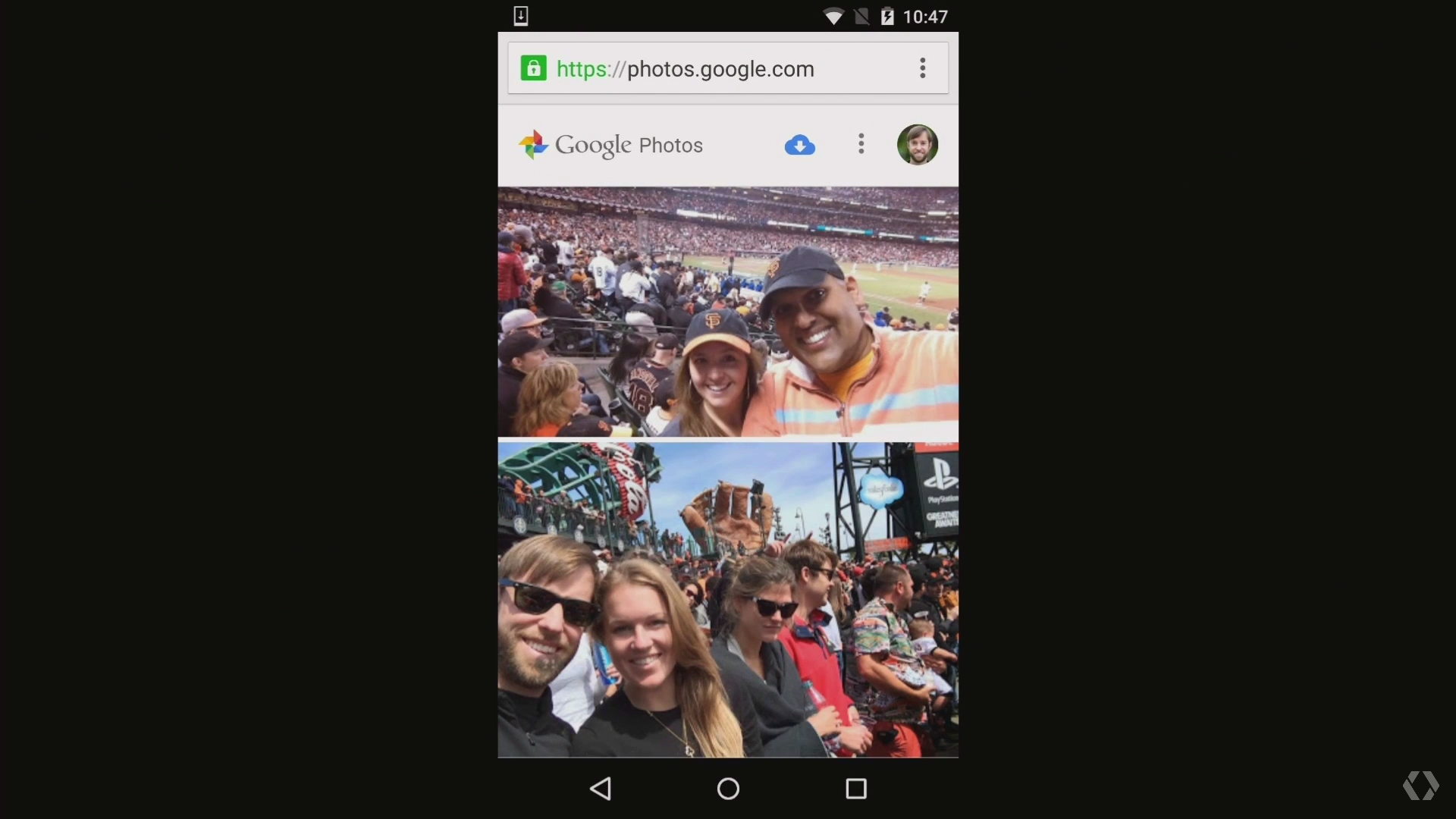
Send that link to anyone you want, and they'll be presented with a gallery containing the photos you selected (and no others). They'll be able to view the full-res images whether they're signed into Google or not. They'll even be able to download them all in one fell swoop, if they so desire.

A set of photos shared from the Google Photos app, as viewed on the desktop (while not signed into Google)
If the person is signed into Google and has a Photos account of their own, they'll also have the option of adding the images directly into theirown Photos collection with a single click. That's gonna to make the act of sharing images from my phone to my wife's collection and vice-versa easier than ever.
The makeshift galleries you share are accessible only to those who have the link -- but here's what's especially useful: If you share a link and later decide you don't want anyone to be able to access those photos, you can revoke access. Just tap the main menu icon (the three horizontal lines) at the top-left of the Photos app, then select "Shared links." There, you'll see a list of all the photo links you've created along with options to delete them.
13. Free up space on your phone
One of Photos' key features is the ability to automatically and continuously back up photos from your phone to the cloud for safe-keeping and universal access. Once a photo is backed up, then, there's really no reason to also keep storing it locally and thus take up precious space on your phone or tablet.
The new Photos app makes it easy as pie to free up space on your device by removing redundant local copies of images. There's just one caveat: You have to choose to back up images at their full original resolution in order for the feature to be available. If you choose to use the free and unlimited "High quality" backup option, Photos won't offer to delete local versions of images -- since the local versions aren't identical to those stored on Google's servers.
(You can change your choice in the "Back up & sync" section of the app's main settings; just remember that by opting to upload images at their full original resolution, you may eventually run into a storage limit and have to purchase more space.)
If you're uploading at full resolution, look in the Assistant section of the new Photos app. When the local storage on your device gets low, you'll see a card there showing exactly how much space you can free up by deleting local copies. You'll also get a single-tap option to do the deed and remove all the local copies.

Freeing up local space with the Google Photos Assistant
The beauty of it is that so long as you have an active data connection, you won't even notice the difference after the local images are deleted. All of your photos will still show up via their cloud-stored versions, and for all practical purposes, they'll look and act exactly the same as they did before.
14. Save RAW files and other uncompressed originals
Do you shoot photos in a professional-quality format like RAW? If so, you probably don't want Photos to back up the images as JPGs (and if this all sounds like Greek to you, no worries -- it probably doesn't apply to you. Just take a swig of the nearest beverage and move onto the next item).
Google Photos can save files in their original formats, if you want; the key is just to select the option to upload files in their original resolution instead of in "High quality," as mentioned above. With the original resolution option, everything will go to Google's servers just as you have it -- in the same format and at the same size.
Remember that files like RAW images tend to take up a lot of space, though, and this type of storage is not unlimited.
15. Edit images in Photos -- or quick-switch to Snapseed for even more options
The old G+ Photos app had a really nice built-in image editor. The new app's editor is significantly simpler, with a narrow focus on basic image tuning and manipulation -- and you know what? That'll be more than enough for most people. (You can get to the Photos image editor by tapping the pencil icon while viewing any image.)
If you're into more advanced photo manipulation, you'll want to snag Snapseed -- the robust yet free Google-owned standalone image editor. In a neat twist, once Snapseed is installed on your device, you'll find a quick link to it right within Photos that lets you beam any image over for a nearly seamless editing experience.
Just tap the menu icon in the upper-right corner while you're viewing an image. If Snapseed is on the device, you'll see the option there to edit the photo in Snapseed.
Easy peasy, eh?
16. Sync all your photos with a local computer
With all of your photos in the cloud, you probably won't have to worry about having a comprehensive local backup of your images. If you like the idea of keeping your entire image collection on your computer, though, there is a way to sync Google Photos with your own personal hard drive. And once you set it up, you'll never have to think about it again.
First, you'll need to download and install theGoogle Drive syncing app for Mac or Windows, if you haven't already. Make sure the app is set to sync everything in your Drive to a folder on your computer.
Second, you'll need to head to the Drive websiteand click on the link in the left navigation bar labeled "Google Photos." Then, click the button to add a Google Photos folder to My Drive (assuming you haven't done that already -- if you have, the button won't be there).
Within a minute or so, a new folder should show up in your Drive called Google Photos. And since you have Drive set to sync with your computer via the Mac or Windows app, that folder will now be backed up and synced -- both ways -- with the corresponding local folder.
The power is in your hands, compadres. Use it wisely.
16 cool things to try with the new Google Photos
8:22 AM
App, Google, Google photo, smart phones


/cdn0.vox-cdn.com/uploads/chorus_asset/file/3733564/DSC_9608.0.jpg)
/cdn0.vox-cdn.com/uploads/chorus_asset/file/3736330/Google-IO-2015-_0458.0.jpg)
/cdn0.vox-cdn.com/uploads/chorus_asset/file/3736332/Google-IO-2015-_0503.0.jpg)
/cdn0.vox-cdn.com/uploads/chorus_asset/file/3736344/Google-IO-2015-_0594.0.jpg)
/cdn0.vox-cdn.com/uploads/chorus_asset/file/3736348/Google-IO-2015-_0855.0.jpg)
/cdn0.vox-cdn.com/uploads/chorus_asset/file/3736360/Google-IO-2015-_0921.0.jpg)
/cdn0.vox-cdn.com/uploads/chorus_asset/file/3736368/Google-IO-2015-_1123.0.jpg)
/cdn0.vox-cdn.com/uploads/chorus_asset/file/3736372/Google-IO-2015-_0321.0.jpg)
/cdn0.vox-cdn.com/uploads/chorus_asset/file/3736376/Google-IO-2015-_0682.0.jpg)
/cdn0.vox-cdn.com/uploads/chorus_asset/file/3736378/Google-IO-2015-_0768.0.jpg)
/cdn0.vox-cdn.com/uploads/chorus_asset/file/3736386/Google-IO-2015-_0533.0.jpg)
/cdn0.vox-cdn.com/uploads/chorus_asset/file/3736396/Google-IO-2015-_0421.0.jpg)
/cdn0.vox-cdn.com/uploads/chorus_asset/file/3736438/Google-IO-2015-_1392.0.jpg)


 Posts
Posts